-

-
 Argentina (en)
-
 Australia (en)
-
 Belgien (de)
-
Belgique (fr)
-
België (en)
-
 Brasil (en)
-
 Canada (en)
-
Canada (fr)
-
 Česko (en)
-
 Chile (en)
-
 Danmark (en)
-
 Deutschland (de)
-
 España (en)
-
 France (fr)
-
 Hrvatska (en)
-
 Ireland (en)
-
 Italia (en)
-
 Magyarország (en)
-
 Nederland (en)
-
 Norge (en)
-
 Österreich (de)
-
 Polska (pl)
-
 Portugal (en)
-
 România (en)
-
 Schweiz (de)
-
 Slovenija (en)
-
 Slovensko (en)
-
 South Africa (en)
-
 Srbija (en)
-
Suisse (fr)
-
 Suomi (en)
-
 Sverige (en)
-
Svizzera (en)
-
 United Kingdom (en)
-
United States (en)
-
 Россия (en)
-
 Україна (en)
-
 日本 (en)
-

[Crops 101] How To Sow & Harvest Soybeans
![[Crops 101] How To Sow & Harvest Soybeans](/cms/uploads/news_6a9ed8c7d04a3.jpg)
Welcome to your next “Crops 101” lesson of the Farming Simulator Academy! In this tutorial, we show you how to plant, care for, harvest, and use soybeans.
What Is Special About Soybeans?
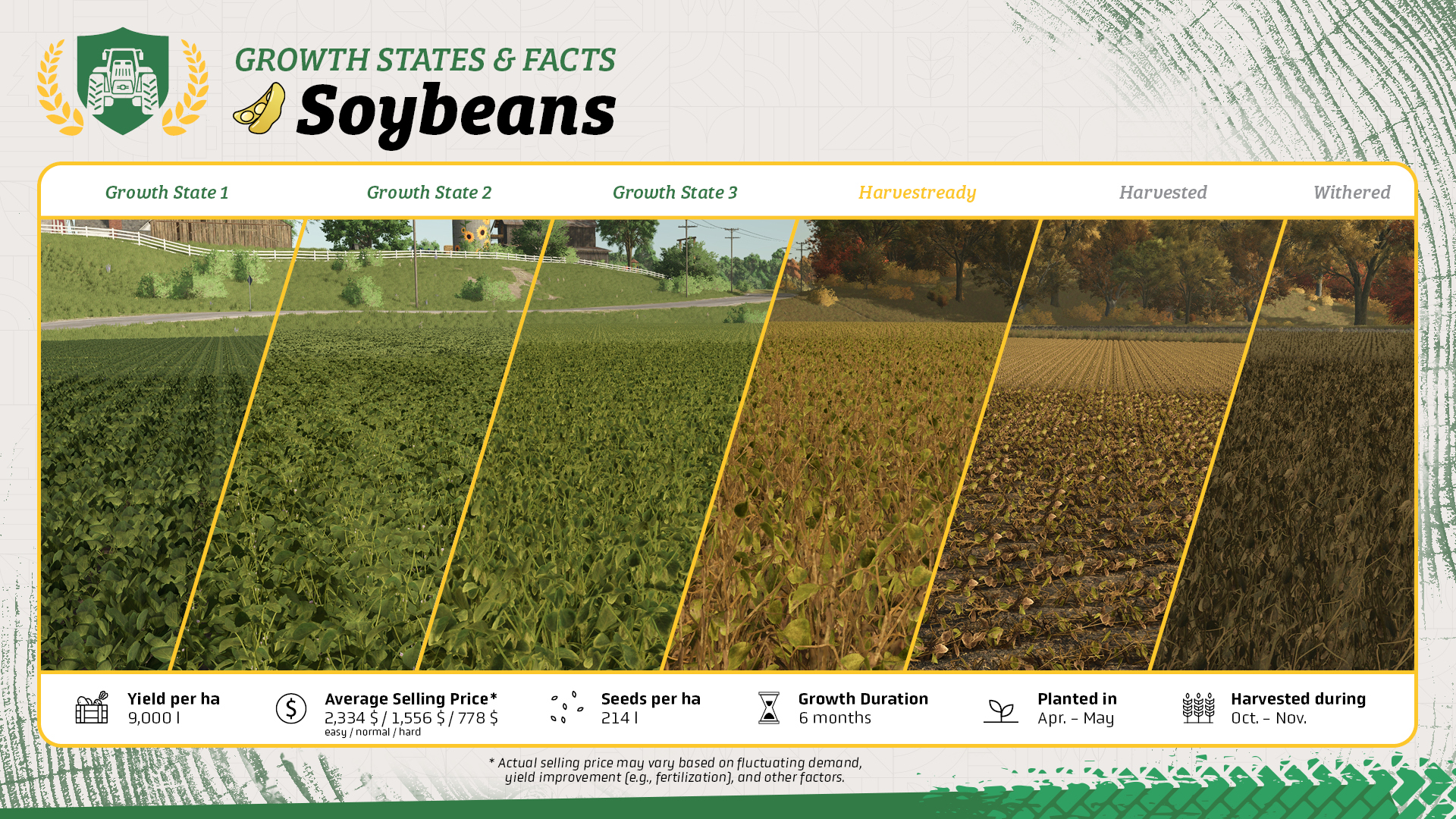
- Soybeans are planted with a planter, unlike most other grain crops, which use a seeder, but still need the same combine harvester.
- Soybeans can be used as protein feed for your pigs.
What You Need For Soybeans
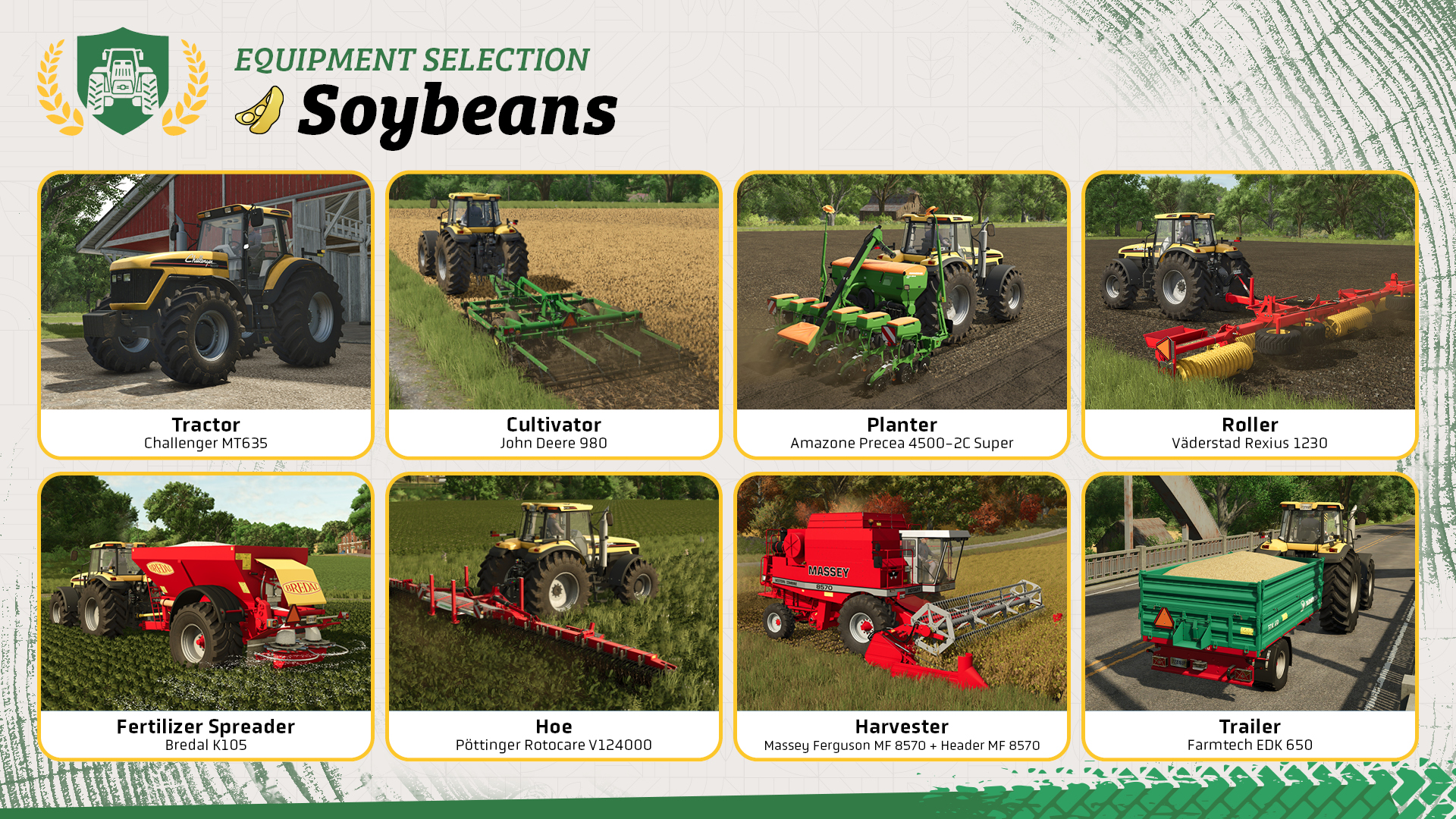
Soybeans use mostly standard field equipment. The machines shown above will take you from field preparation all the way to harvest.
- Tractor: Operates the tools used for field preparation, planting, and crop care.
- Cultivator: Prepares the soil before planting. Use a plow instead if the field information says plowing is required.
- Planter: Plants soybeans and needs to be filled with seeds.
- Roller: Optional after planting for a small additional yield bonus.
- Fertilizer spreader: Applies solid fertilizer and, depending on the model, lime.
- Hoe: Removes weeds before they reduce your yield.
- Harvester with a grain header: Harvests ripe soybeans.
- Trailer: Transports your soybeans to storage, a selling point, or wherever you want to use them.
Let's Get To Work!
With seasonal growth enabled, plant soybeans in April or May. They are ready to harvest in October or November.
Step 1: Applying lime
Before working the field, check its information to see whether lime is required. If it is, fill a compatible fertilizer spreader with lime and cover the entire field. Otherwise, you can skip this step.
Step 2: Cultivating the field
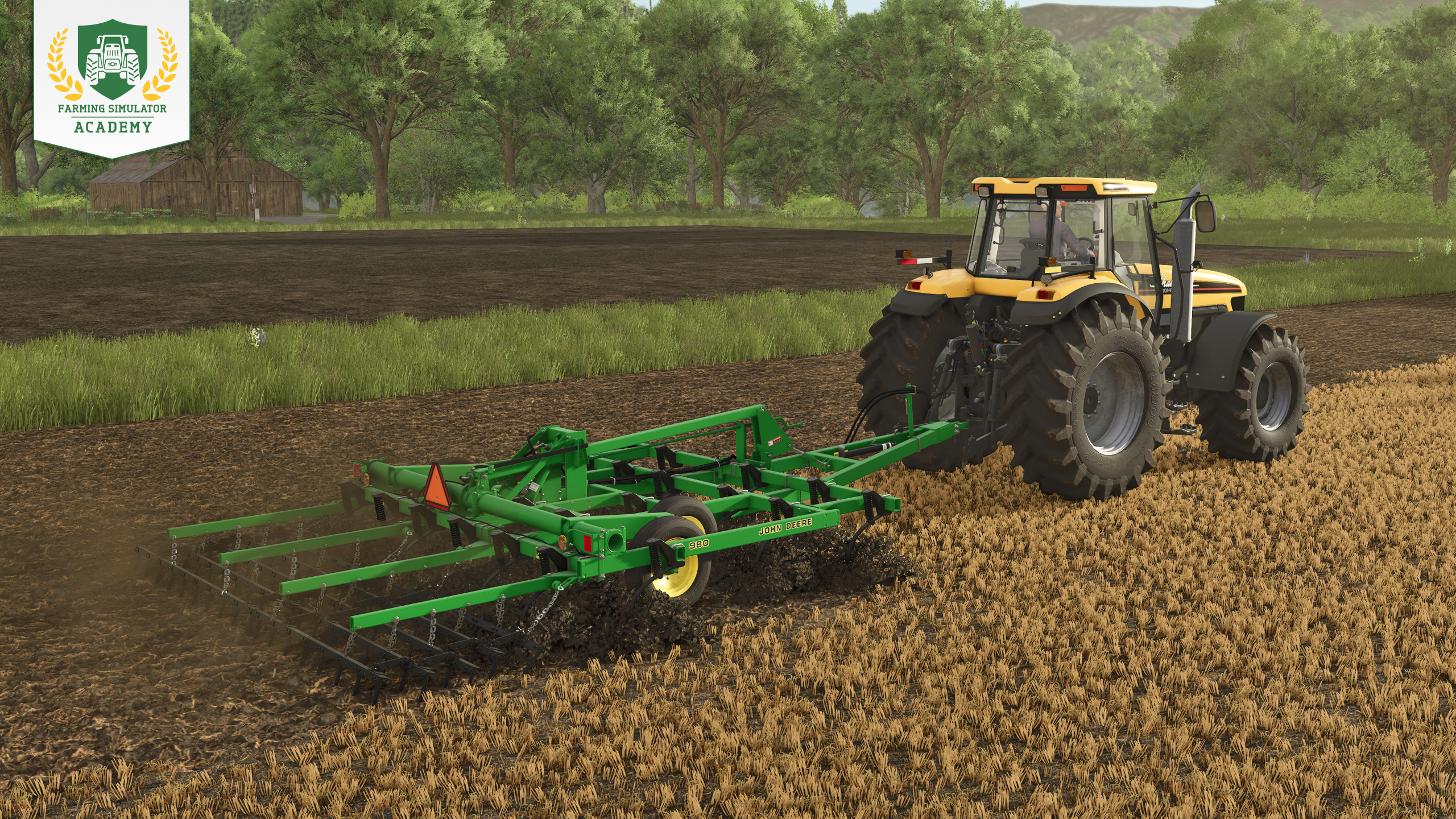
Attach your cultivator and prepare the soil for the new crop. Check the field information beforehand: if the field requires plowing, use a plow instead of the cultivator.
Need a refresher? See how field preparation works.
Step 3: Planting soybeans
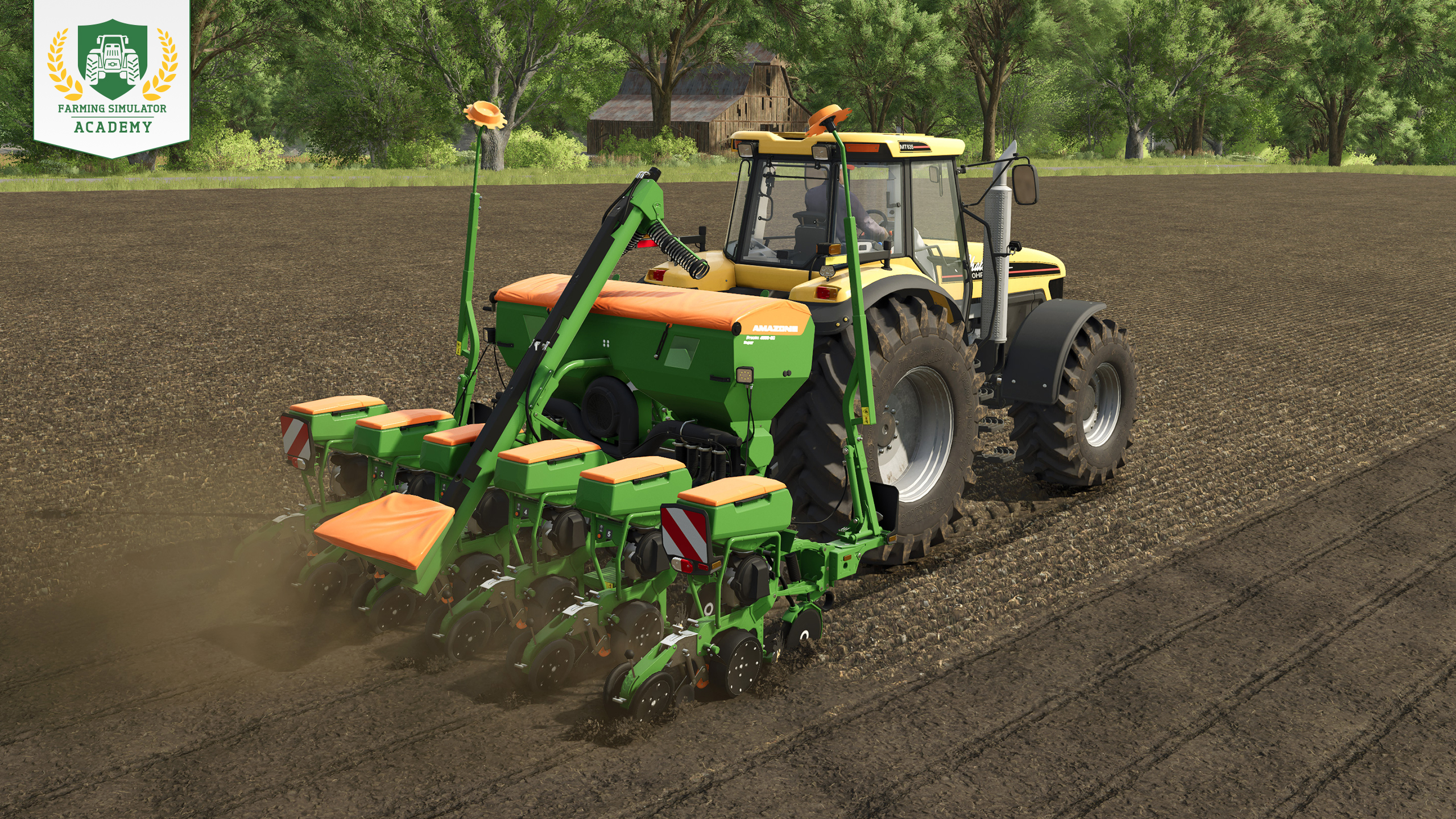
Fill your planter with seeds and select soybeans as the crop. Lower and activate the machine, then drive across the field in straight lines until the entire area has been planted.
Not sure about planters? Here's our planting guide.
Step 4: Rolling the field
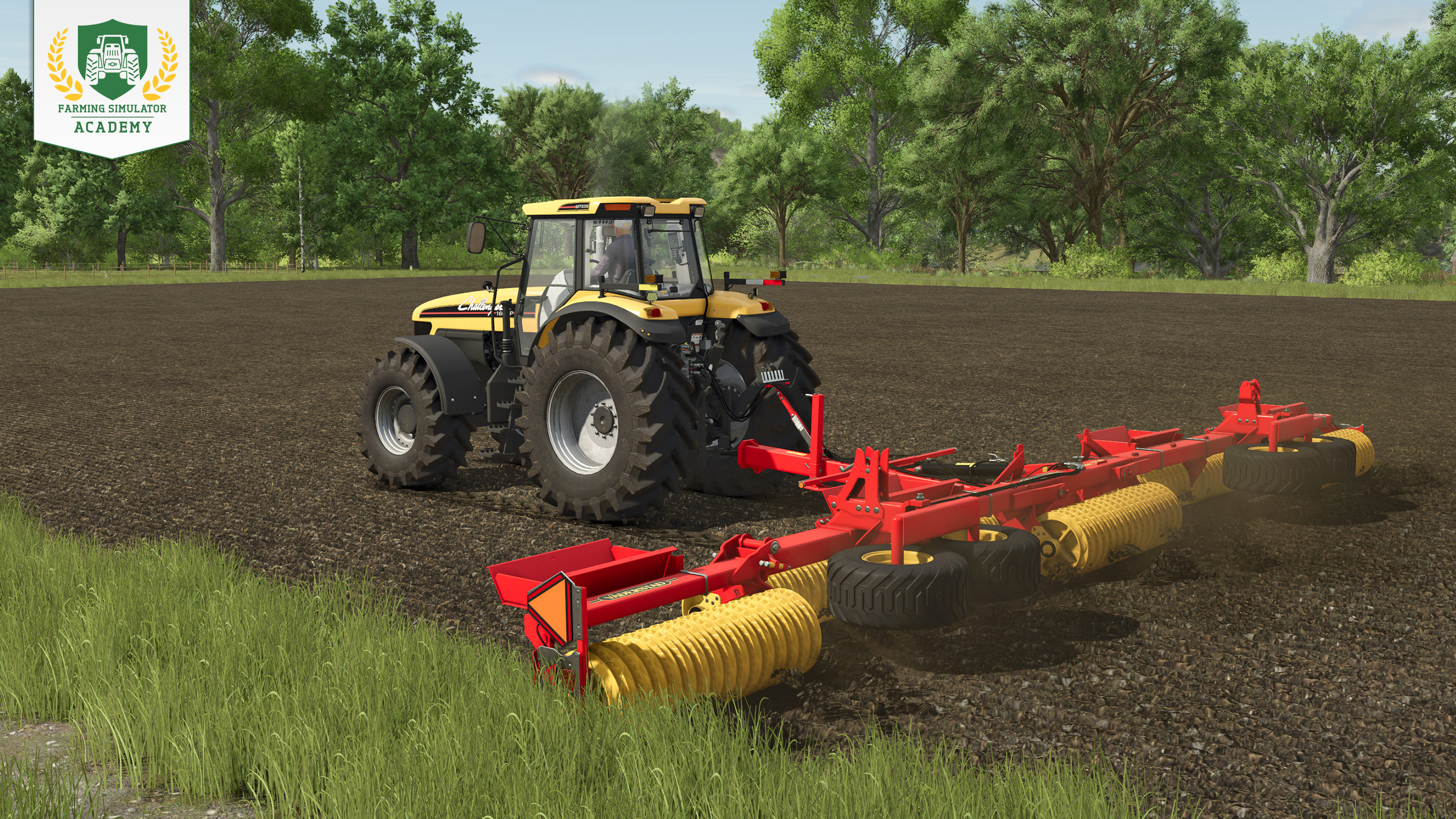
Once the soybeans are planted, you can roll the field for a small additional yield bonus. Rolling is optional, so you can also skip it if you want to save some time.
Going for the extra yield bonus? Read about rolling.
Step 5: Fertilizing
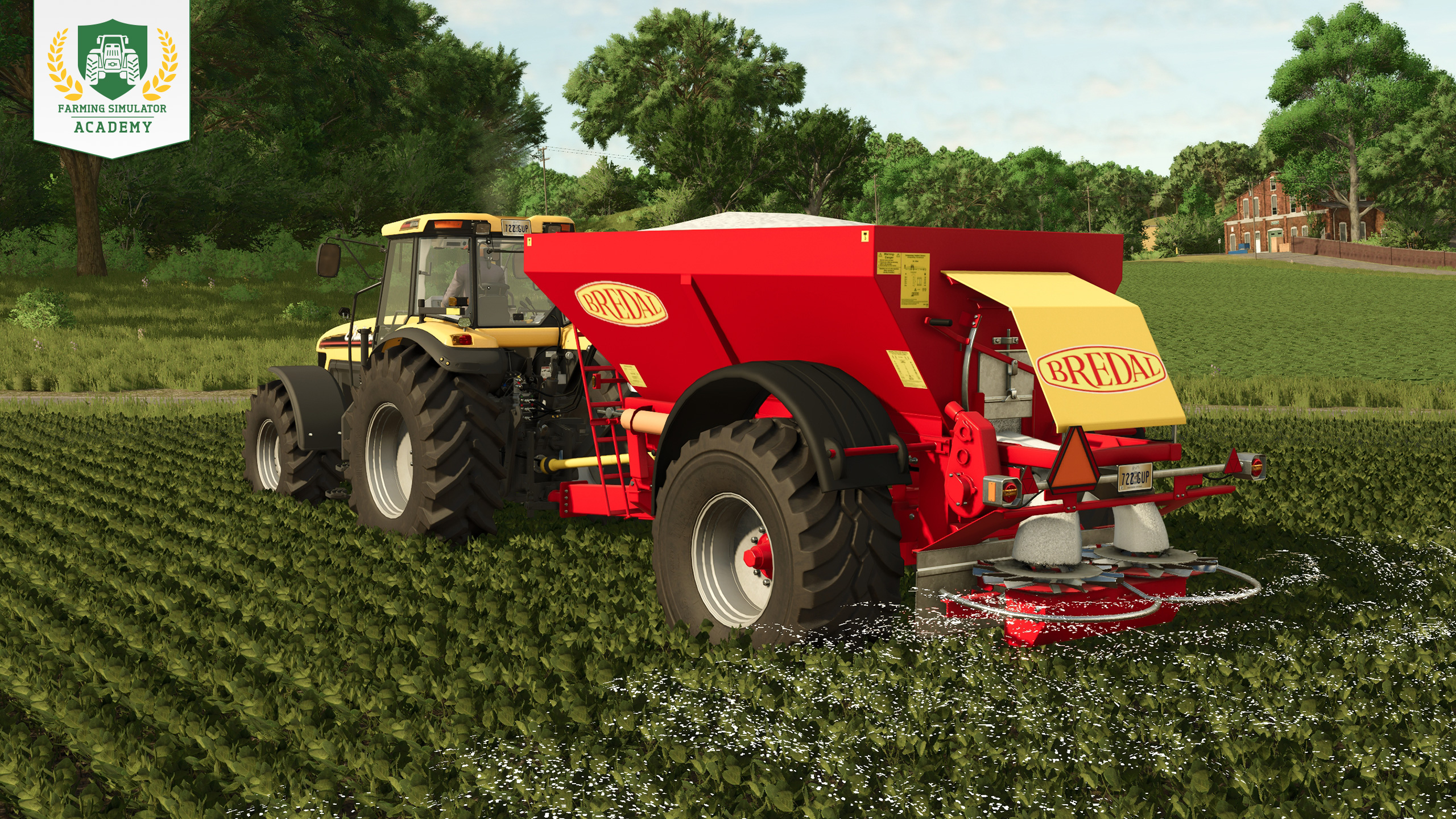
Fertilize your soybeans to increase their potential yield. You can apply fertilizer twice during the crop cycle, but there needs to be a growth stage between the two applications.
Tip! If you previously used the same spreader for lime, make sure to unload any remaining lime before filling it with fertilizer.
Want more detail? Here's our fertilizing guide.
Step 6: Removing weeds
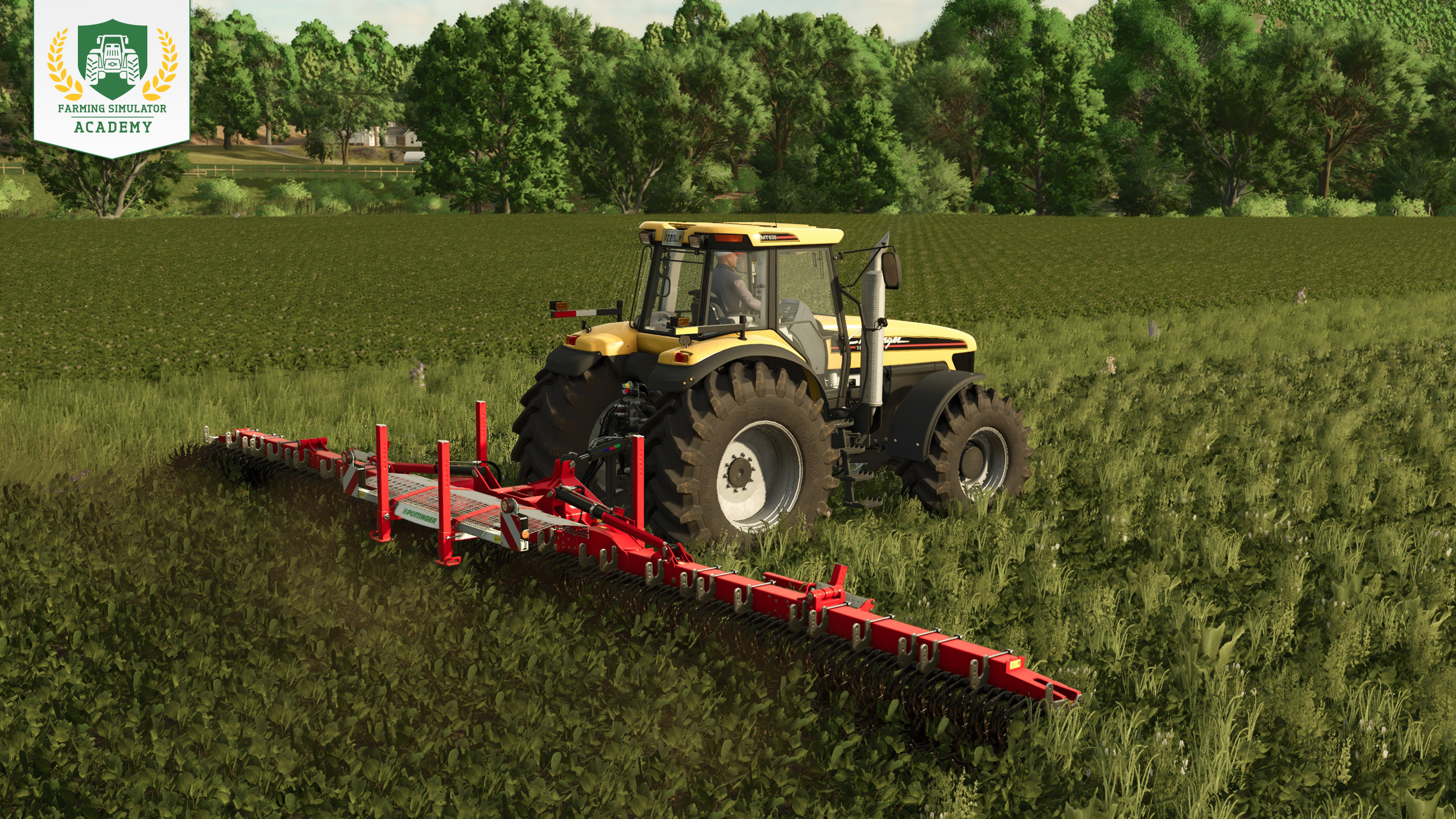
Keep an eye on the field while your soybeans grow. Young weeds can be removed with a weeder. If you wait too long, larger weeds require a hoe or herbicide instead.
Tip! With crop destruction enabled, narrow tires are useful when driving through growing soybeans without damaging them.
Need help choosing the right weed tool? Check this guide.
Step 7: Harvesting soybeans
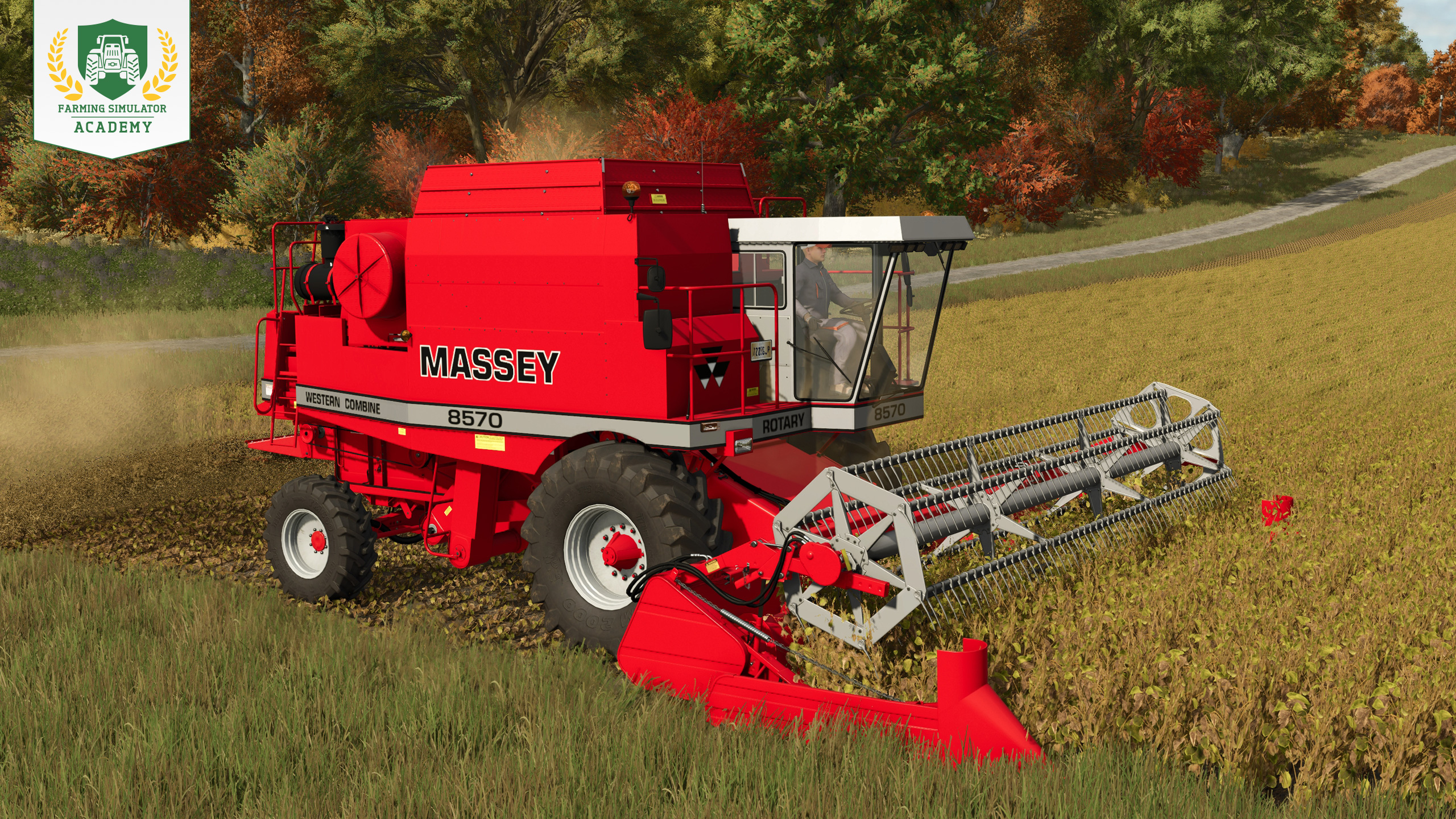
When the soybeans are ripe, attach a grain header to your combine harvester. Lower and activate the header and work your way across the field. When the harvester's grain tank fills up, unload the soybeans into your trailer.
Tip! A header trailer is optional, but transporting a wide grain header separately can make travelling on narrow roads much easier.
Step 8: Selling and using soybeans
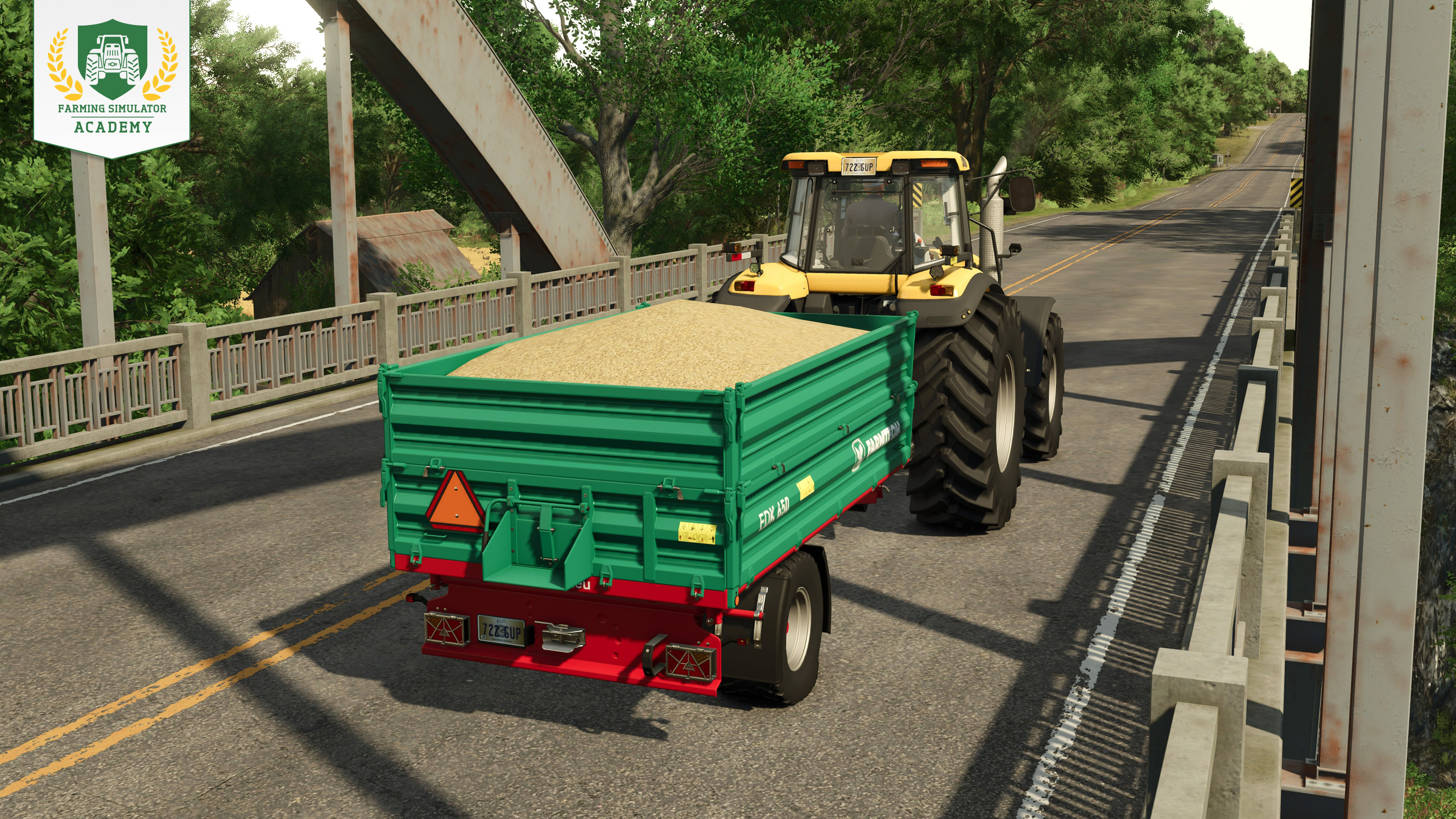
Load the harvested soybeans into your trailer and decide what to do with them. You can sell them at a suitable selling point, store them for later, or keep part of the harvest as protein feed for your pigs. Check the prices screen before selling if you want to find the best offer.
Well Done!
Congratulations! You now know the basics of growing soybeans in Farming Simulator. When you're ready, continue with the next Farming Simulator Academy lesson!


So, has Beans & Alpacas won you over yet? 🦙 LAST CHANCE to save 10% when you preorder the FS25: Beans & Alpacas Expansion before its October 27 launch! 🎉 Your next farming adventure awaits! 🚜 🔗 https://t.co/j2gGuWNKjz https://t.co/jxabPgbI33

One last Factsheet Friday before launch! 🚜 Discover John Deere, Mercedes-Benz, Randon, New Holland & Stara equipment coming with Beans & Alpacas on October 27. Check out the final batch! 🌱 🔗 https://t.co/KGeOIzHeIa https://t.co/MgoHm1OKfr

The countdown continues! 🦙 Join Benni and Stefan Maurus for our FS25: Beans & Alpacas Pre-Release Show on October 22 at 6 PM CEST. Get a closer look at the expansion ahead of its October 27 launch! Tune in on YouTube! 📺 🔗 https://t.co/NKgUwdoMza https://t.co/n9Yv9rvg2l

Ready for Bale Race? 🚜 We’re teaming up with Fendt at the 99th National FFA Convention & Expo! Join us in Indianapolis, Indiana, October 21–24, 2026, and put your Farming Simulator skills to the test. See you there! 👋 https://t.co/UqFCTpMqdK

Social Media


So, has Beans & Alpacas won you over yet? 🦙 LAST CHANCE to save 10% when you preorder the FS25: Beans & Alpacas Expansion before its October 27 launch! 🎉 Your next farming adventure awaits! 🚜 🔗 https://t.co/j2gGuWNKjz https://t.co/jxabPgbI33


