-

-
 Argentina (en)
-
 Australia (en)
-
 Belgien (de)
-
Belgique (fr)
-
België (en)
-
 Brasil (en)
-
 Canada (en)
-
Canada (fr)
-
 Česko (en)
-
 Chile (en)
-
 Danmark (en)
-
Deutschland (de)
-
 España (en)
-
 France (fr)
-
 Hrvatska (en)
-
 Ireland (en)
-
 Italia (en)
-
 Magyarország (en)
-
 Nederland (en)
-
 Norge (en)
-
 Österreich (de)
-
 Polska (pl)
-
 Portugal (en)
-
 România (en)
-
 Schweiz (de)
-
 Slovenija (en)
-
 Slovensko (en)
-
 South Africa (en)
-
 Srbija (en)
-
Suisse (fr)
-
 Suomi (en)
-
 Sverige (en)
-
Svizzera (en)
-
 United Kingdom (en)
-
 United States (en)
-
 Россия (en)
-
 Україна (en)
-
 日本 (en)
-

[Feldfrüchte] Aussaat und Ernte von Zuckerrüben
![[Feldfrüchte] Aussaat und Ernte von Zuckerrüben](/cms/uploads/news_6a9ed964d0e14.jpg)
Willkommen zu eurer nächsten Farming Simulator Academy-Lektion im Einmaleins der Feldfrüchte! Diesmal dreht sich alles um Zuckerrüben und darum, wie ihr sie pflanzt, pflegt, erntet und verkauft.
Was ihr über Zuckerrüben wissen solltet
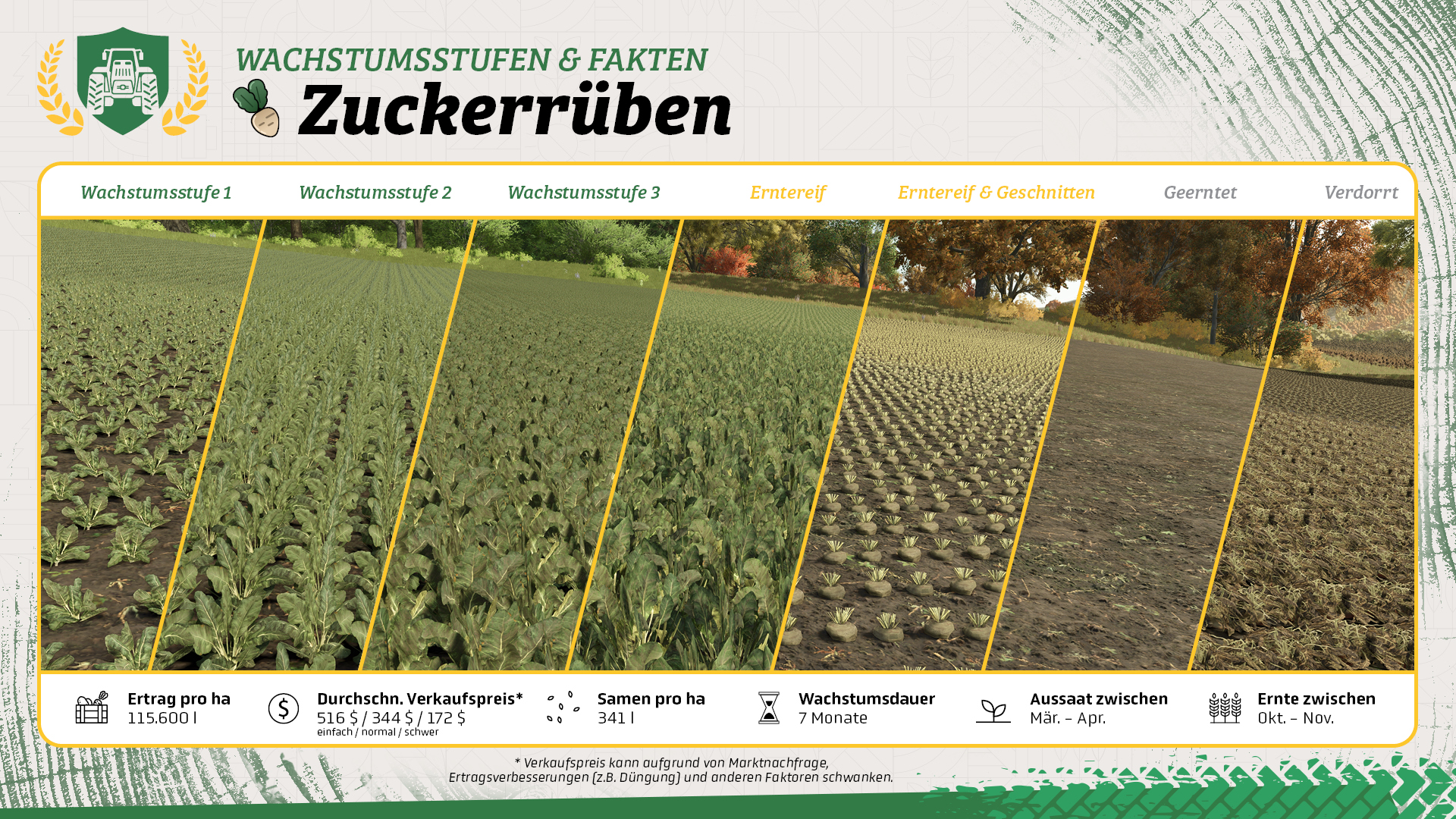
- Für die Ernte von Zuckerrüben benötigt ihr spezielle Maschinen, wodurch der Einstieg teurer ist als bei vielen anderen Feldfrüchten.
- Ihr könnt Zuckerrüben als Teil des Futters für Schweine verwenden.
- Zuckerrüben können mit einem Rübenschnitzler zerkleinert werden, der an einem Frontlader befestigt wird.
Was ihr für Zuckerrüben benötigt
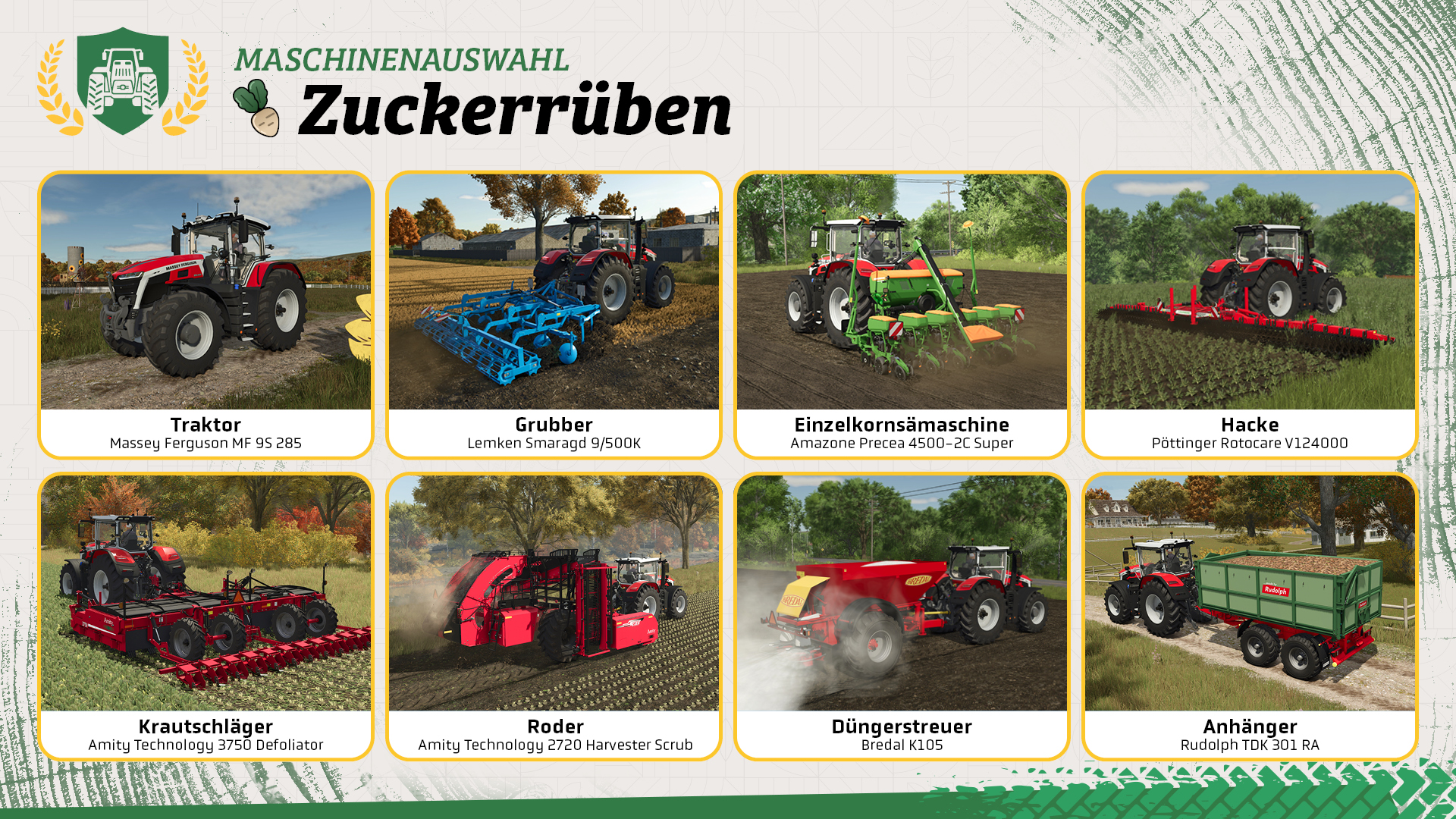
Für Zuckerrüben benötigt ihr einige spezielle Maschinen. In diesem Tutorial verwenden wir die günstigere, zweiteilige Erntekombination, die ihr oben seht.
- Traktor: Ihr benötigt einen Traktor mit genügend Leistung für die Feldarbeit.
- Grubber: Bereitet das Feld vor. Wenn die Feldinformationen anzeigen, dass Pflügen erforderlich ist, verwendet stattdessen einen Pflug.
- Einzelkornsämaschine: Zuckerrüben werden mit einer kompatiblen Einzelkornsämaschine gepflanzt.
- Düngerstreuer: Verwendet ihn für Mineraldünger und, sofern die Maschine dafür geeignet ist, auch für Kalk.
- Hacke: Mit einer Hacke entfernt ihr Unkraut zwischen den Reihen, ohne die Pflanzen zu beschädigen.
- Krautschläger: Er entfernt vor der Ernte das Kraut. Das ist der erste Teil der zweiteiligen Ernte.
- Rübenroder: Mit diesem Gerät holt ihr die Zuckerrüben aus dem Boden, nachdem das Kraut entfernt wurde.
- Anhänger: Mit einem geeigneten Anhänger transportiert ihr die geernteten Zuckerrüben zu einer Verkaufsstelle oder einem Lagerplatz.
An die Arbeit!
Wenn saisonales Wachstum aktiviert ist, könnt ihr Zuckerrüben im März oder April pflanzen.
Schritt 1: Kalk ausbringen
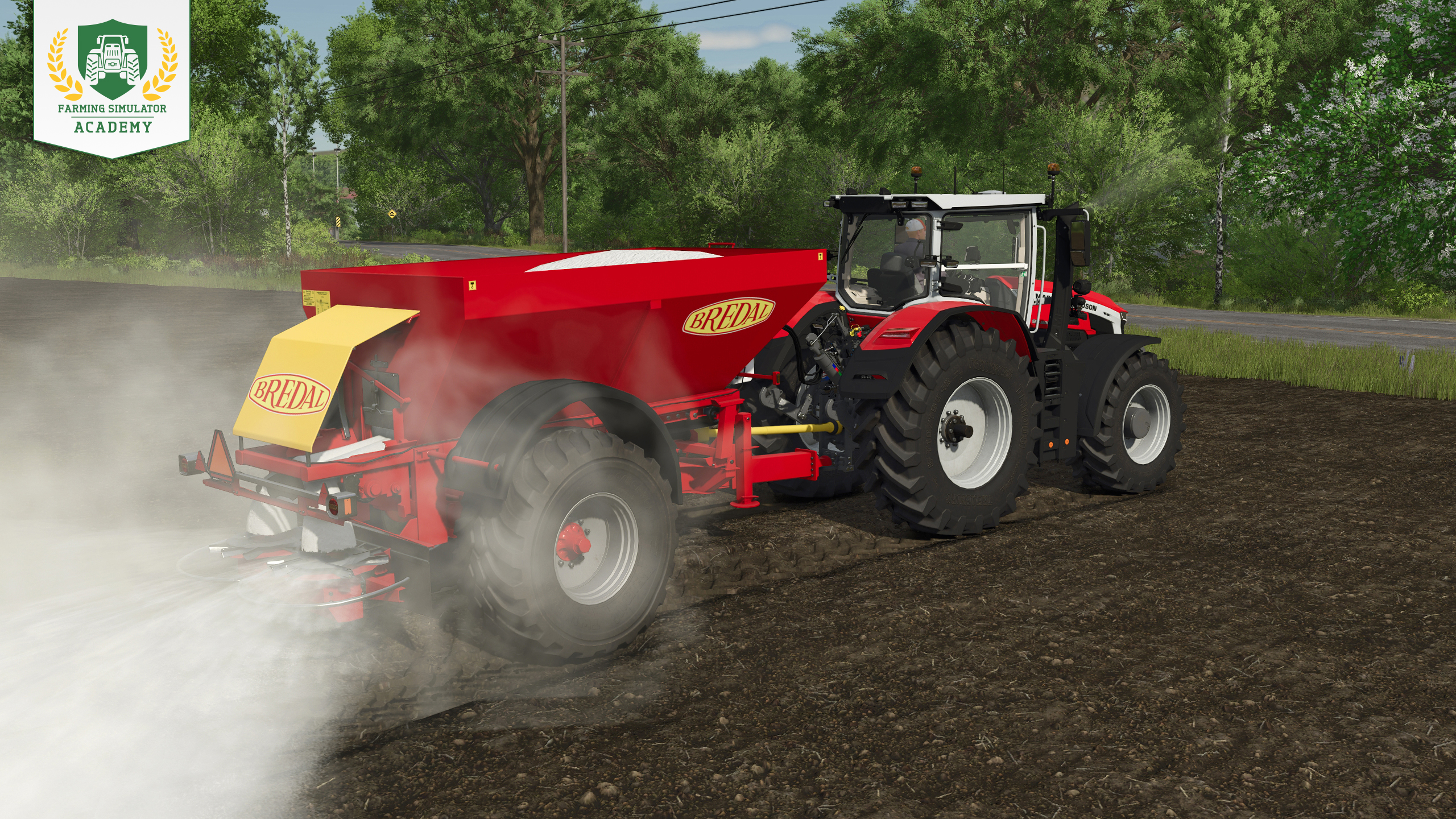
Prüft in den Feldinformationen, ob Kalk benötigt wird. Falls ja, füllt einen geeigneten Düngerstreuer mit Kalk und bearbeitet das gesamte Feld. Wird kein Kalk benötigt, könnt ihr diesen Schritt überspringen.
Schritt 2: Das Feld grubbern
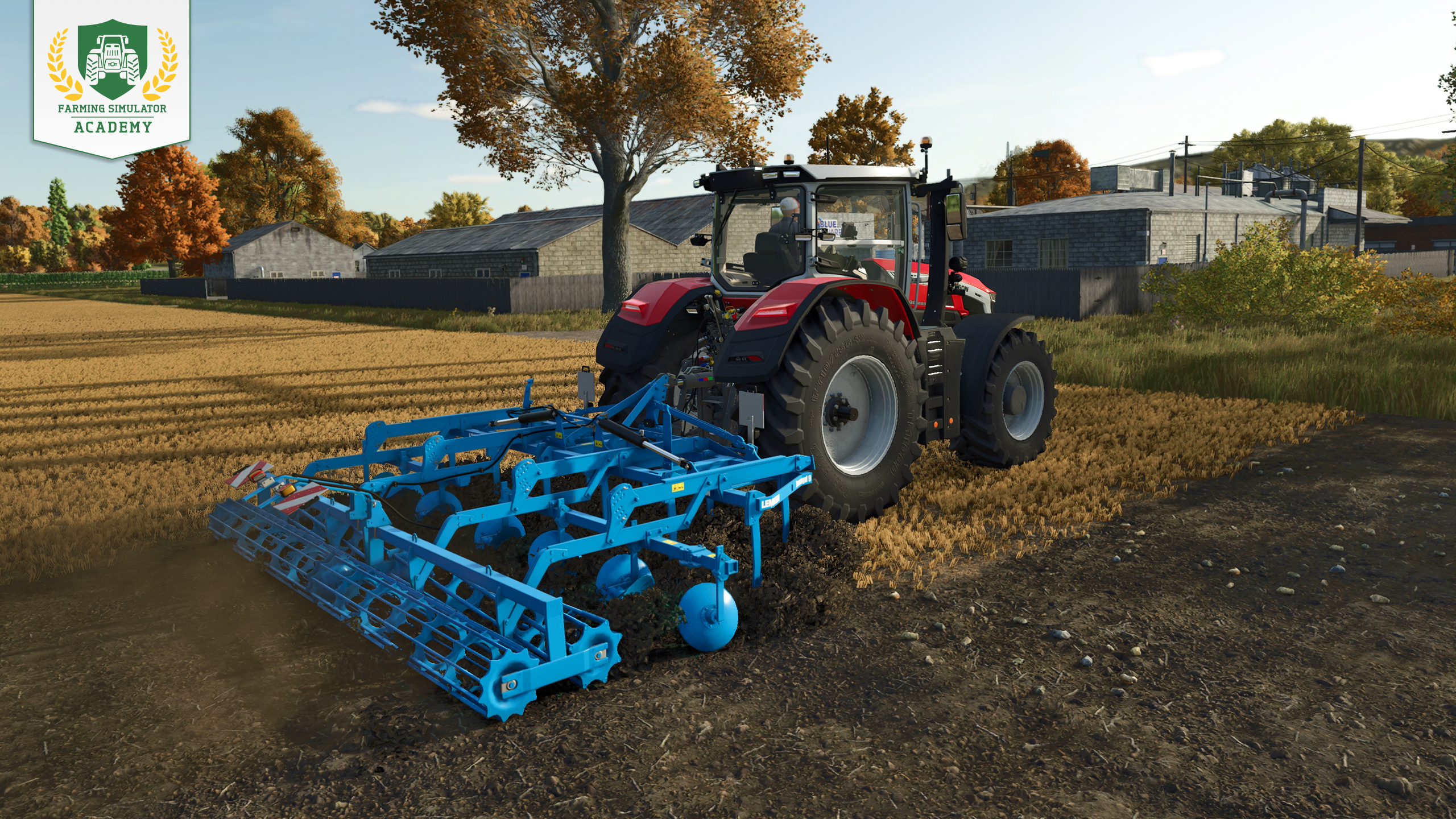
Bereitet den Boden vor und prüft vorher die Feldinformationen. Wenn Pflügen erforderlich ist, verwendet einen Pflug anstelle eines Grubbers. Andernfalls grubbert ihr das gesamte Feld wie gewohnt.
Hier erfahrt ihr alles über die Feldvorbereitung.
Schritt 3: Pflanzen und zum ersten Mal düngen
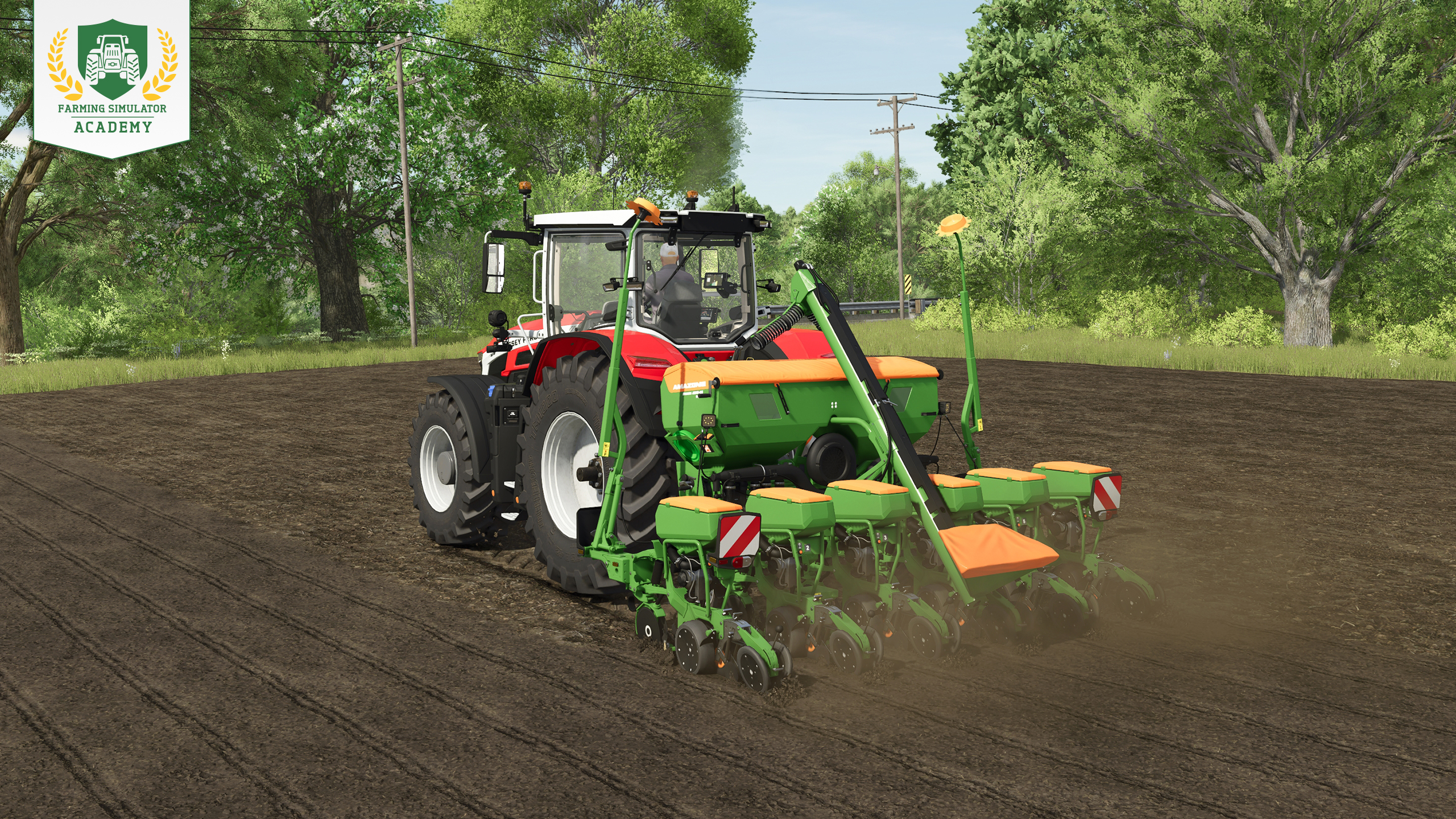
Füllt die Einzelkornsämaschine mit Saatgut und wählt Zuckerrüben aus. Wenn eure Maschine auch düngen kann, füllt zusätzlich den Düngertank. Senkt die Maschine ab, aktiviert sie und bearbeitet das gesamte Feld. So erledigt ihr das Pflanzen und die erste Düngestufe in einem Arbeitsgang.
Alles über Aussaat im Detail könnt ihr hier lesen.
Schritt 4: Unkraut entfernen
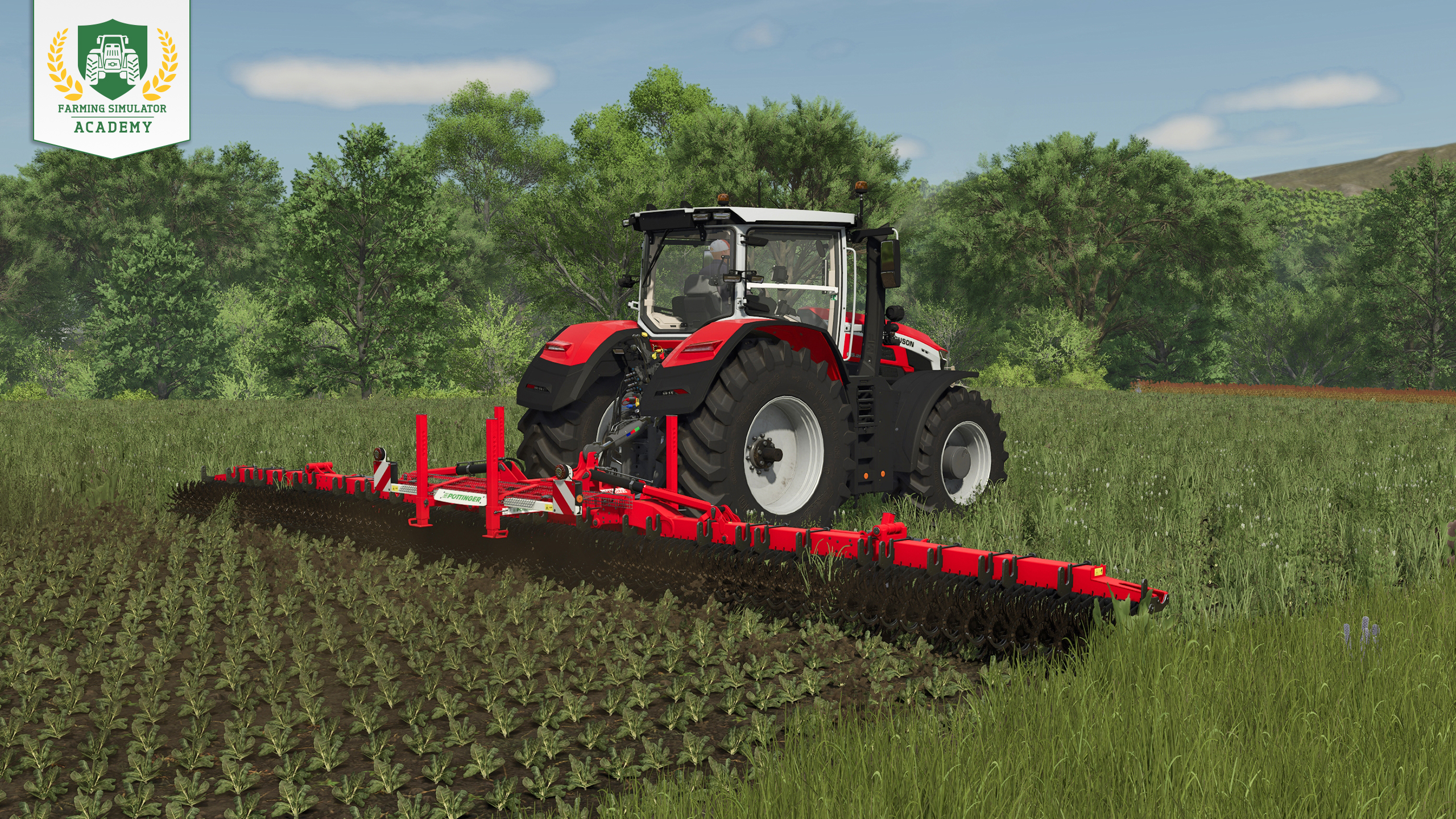
Während die Zuckerrüben wachsen, kann Unkraut auftauchen. Da Zuckerrüben in Reihen wachsen, entfernt ihr es mit einer Hacke. Wenn Fruchtzerstörung aktiviert ist, solltet ihr auf Pflegebereifung wechseln, sobald die Pflanzen aufgegangen sind, damit ihr sie nicht beschädigt.
Ihr wollt mehr über Unkrautbekämpfung wissen?
Schritt 5: Ein zweites Mal düngen
Sobald die Zuckerrüben die nächste Wachstumsstufe erreicht haben, düngt ihr das Feld erneut. Wenn ihr den Düngerstreuer zuvor für Kalk verwendet habt, entladet zunächst die Reste und füllt ihn mit Mineraldünger. Bearbeitet das gesamte Feld, um die volle Düngung zu erreichen.
Ihr wollt alle Details? Hier geht’s zu unserem Dünger-Tutorial.
Schritt 6: Das Kraut entfernen
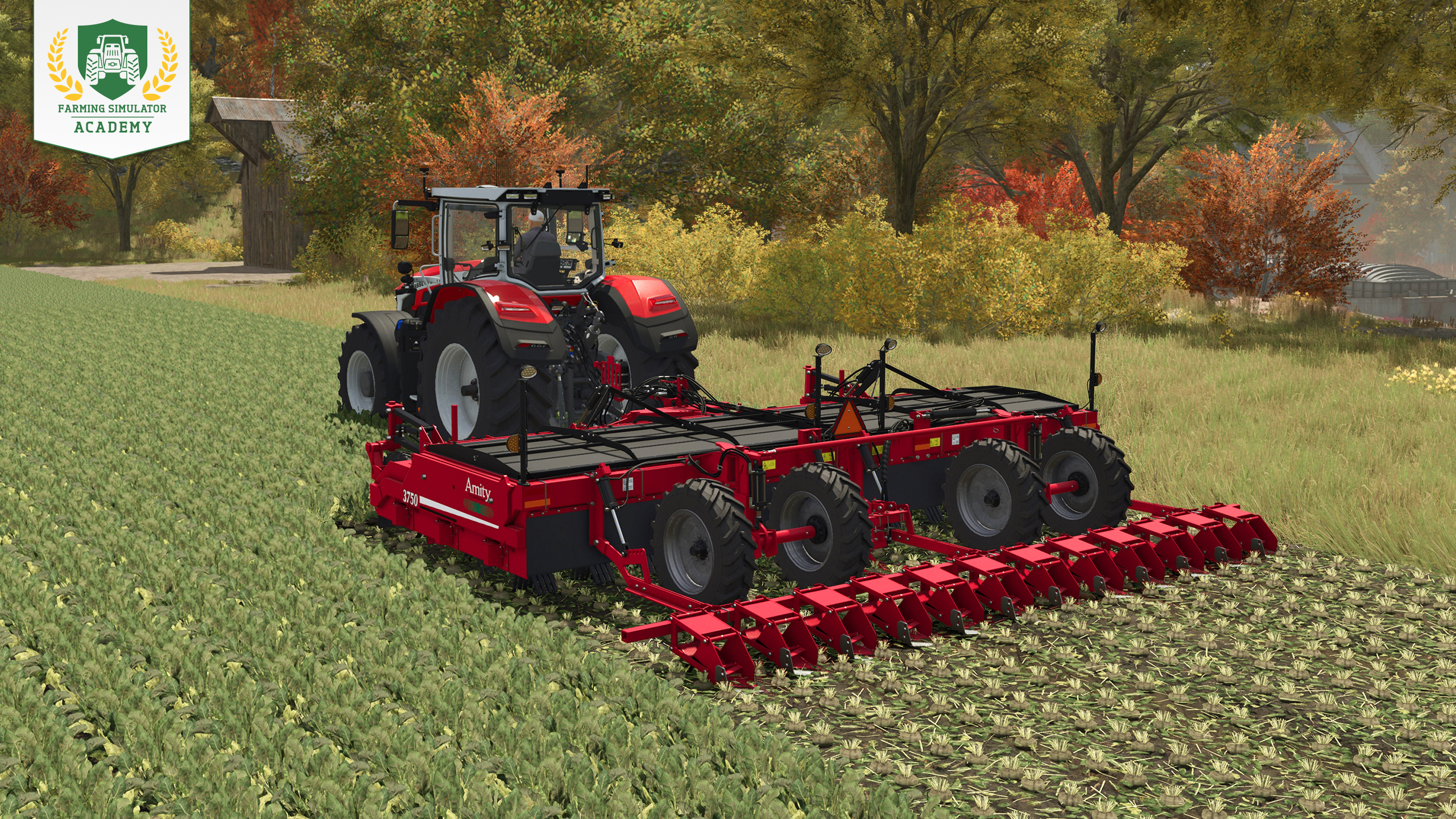
Sobald die Zuckerrüben erntereif sind, entfernt ihr das Kraut mit dem Krautschläger. Bei aktiviertem saisonalem Wachstum solltet ihr die Ernte bis Ende November abschließen, bevor die Pflanzen verwelken.
Schritt 7: Zuckerrüben ernten
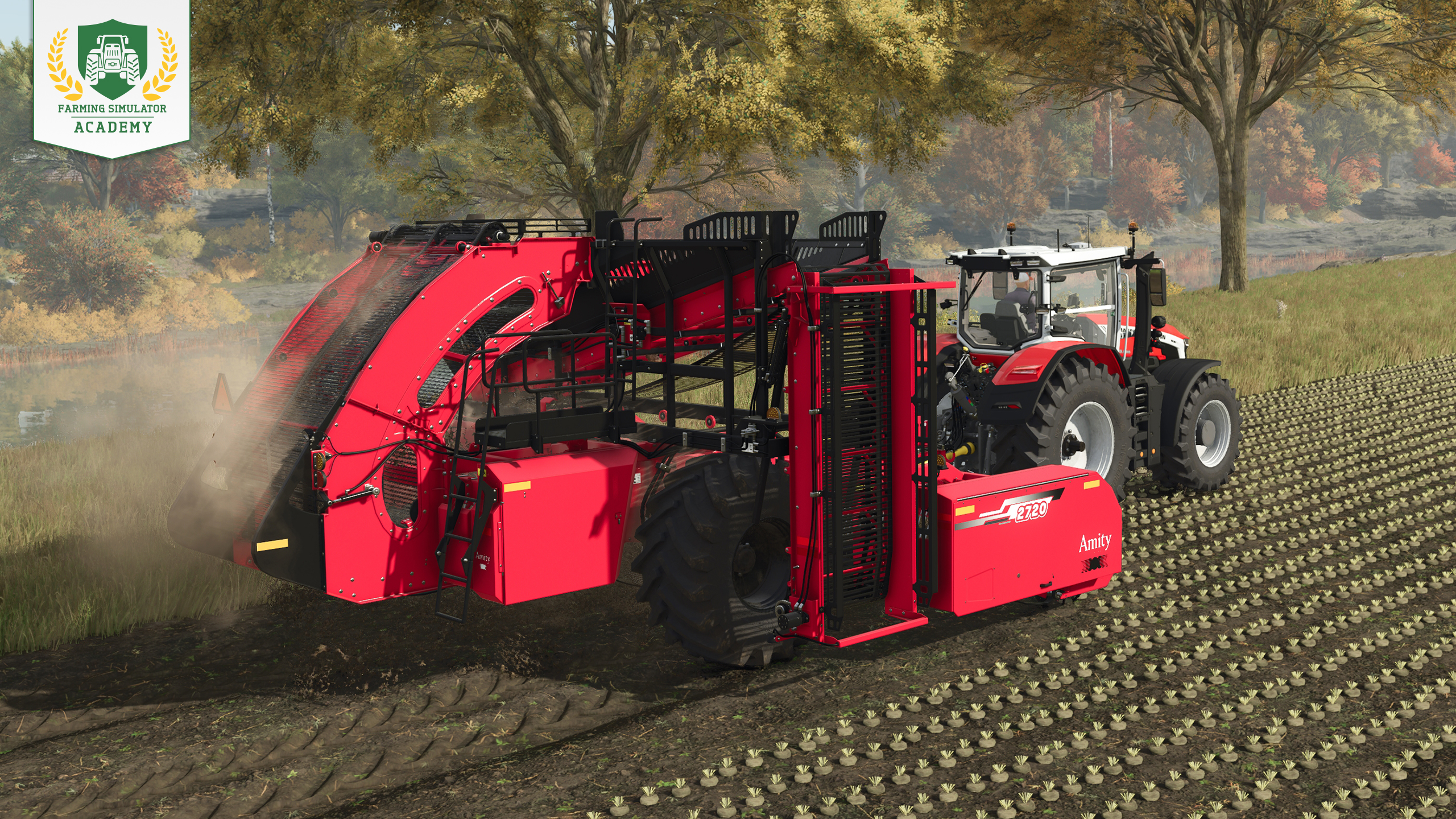
Nachdem das Kraut entfernt wurde, senkt und aktiviert ihr den Rübenroder. Kleinere Roder füllen sich schnell, haltet deshalb einen Anhänger in der Nähe bereit. Sobald der Tank voll ist, fahrt ihr das Überladerohr über dem Anhänger aus und entladet die Zuckerrüben, bevor ihr weiterarbeitet.
Schritt 8: Zuckerrüben verkaufen
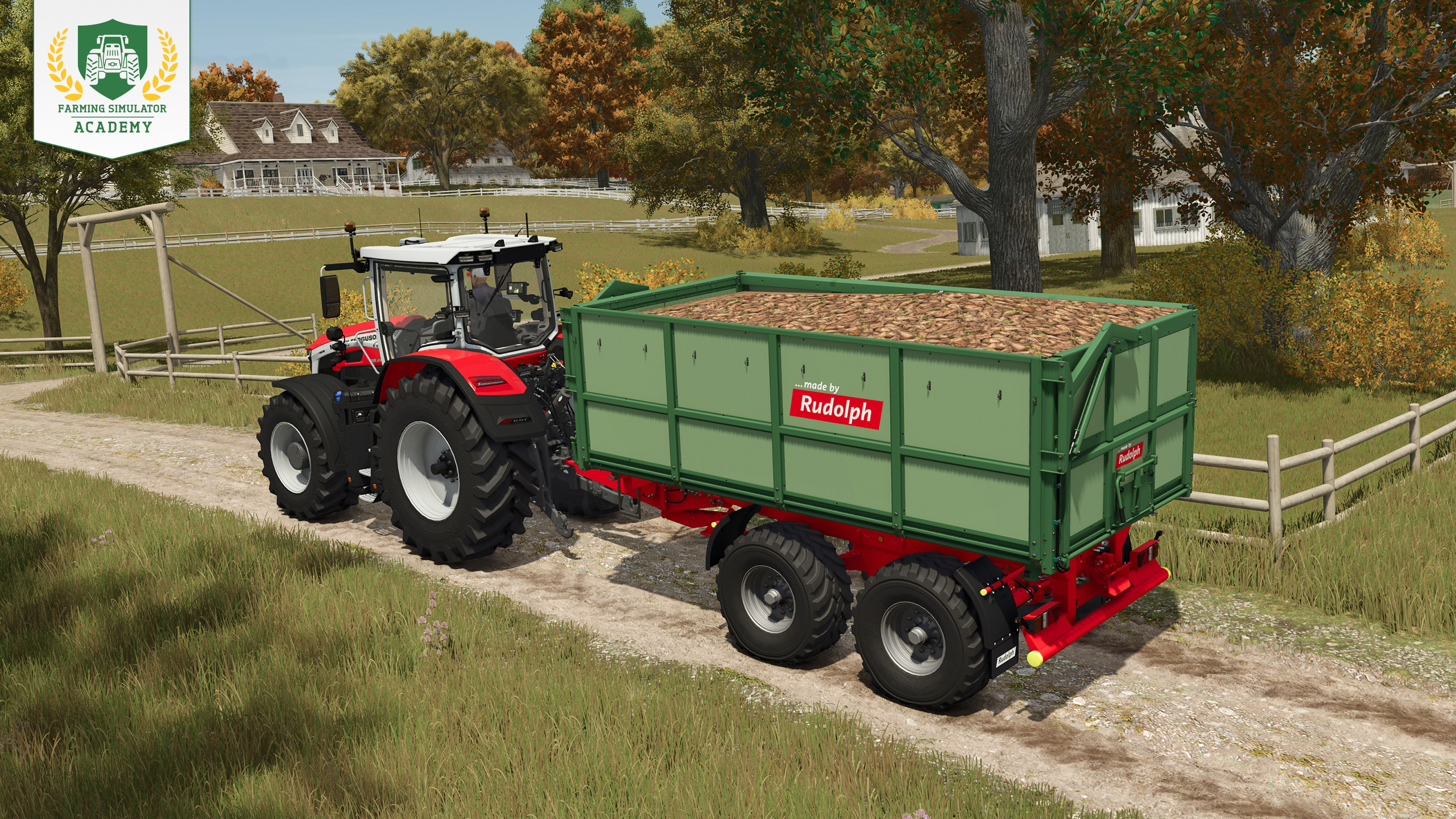
Werft einen Blick auf die Preisübersicht und sucht euch eine geeignete Verkaufsstelle aus. Fahrt dorthin und entladet den Anhänger im vorgesehenen Bereich. Die Preise verändern sich im Laufe des Jahres, daher könnt ihr auch auf ein besseres Angebot warten.
Tipp! Zuckerrüben können nicht in einem normalen Silo gelagert werden. Wenn ihr sie für später aufbewahren wollt, ladet sie auf dem Boden oder an einem anderen geeigneten Lagerplatz ab.
Zuckerrüben verarbeiten: Produkte
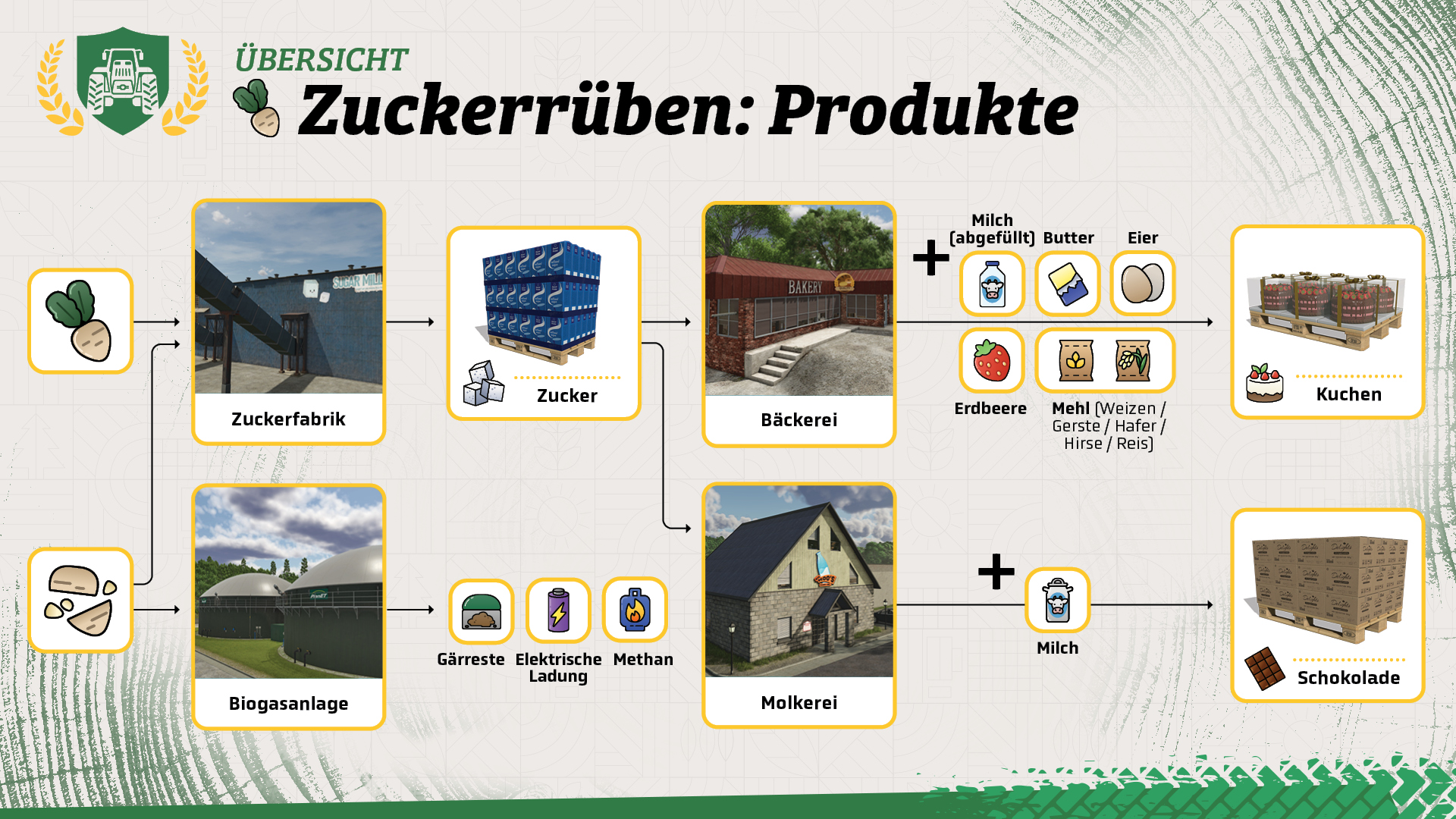
Anstatt Zuckerrüben direkt zu verkaufen, könnt ihr sie weiterverarbeiten. Die Zuckerfabrik verarbeitet die Rüben zu Zucker, der später für Kuchen oder Schokolade verwendet werden kann. Rübenschnitzel können außerdem zur Biogasanlage gebracht werden.
Gut gemacht!
Glückwunsch! Ihr kennt jetzt die Grundlagen für den Anbau von Zuckerrüben in Farming Simulator. Wenn ihr bereit seid, geht es mit der nächsten Lektion der Farming Simulator Academy weiter!


So, has Beans & Alpacas won you over yet? 🦙 LAST CHANCE to save 10% when you preorder the FS25: Beans & Alpacas Expansion before its October 27 launch! 🎉 Your next farming adventure awaits! 🚜 🔗 https://t.co/j2gGuWNKjz https://t.co/jxabPgbI33

One last Factsheet Friday before launch! 🚜 Discover John Deere, Mercedes-Benz, Randon, New Holland & Stara equipment coming with Beans & Alpacas on October 27. Check out the final batch! 🌱 🔗 https://t.co/KGeOIzHeIa https://t.co/MgoHm1OKfr

The countdown continues! 🦙 Join Benni and Stefan Maurus for our FS25: Beans & Alpacas Pre-Release Show on October 22 at 6 PM CEST. Get a closer look at the expansion ahead of its October 27 launch! Tune in on YouTube! 📺 🔗 https://t.co/NKgUwdoMza https://t.co/n9Yv9rvg2l

Ready for Bale Race? 🚜 We’re teaming up with Fendt at the 99th National FFA Convention & Expo! Join us in Indianapolis, Indiana, October 21–24, 2026, and put your Farming Simulator skills to the test. See you there! 👋 https://t.co/UqFCTpMqdK

Social Media


So, has Beans & Alpacas won you over yet? 🦙 LAST CHANCE to save 10% when you preorder the FS25: Beans & Alpacas Expansion before its October 27 launch! 🎉 Your next farming adventure awaits! 🚜 🔗 https://t.co/j2gGuWNKjz https://t.co/jxabPgbI33


