-

-
 Argentina (en)
-
Australia (en)
-
 Belgien (de)
-
Belgique (fr)
-
België (en)
-
 Brasil (en)
-
 Canada (en)
-
Canada (fr)
-
 Česko (en)
-
 Chile (en)
-
 Danmark (en)
-
 Deutschland (de)
-
 España (en)
-
 France (fr)
-
 Hrvatska (en)
-
 Ireland (en)
-
 Italia (en)
-
 Magyarország (en)
-
 Nederland (en)
-
 Norge (en)
-
 Österreich (de)
-
 Polska (pl)
-
 Portugal (en)
-
 România (en)
-
 Schweiz (de)
-
 Slovenija (en)
-
 Slovensko (en)
-
 South Africa (en)
-
 Srbija (en)
-
Suisse (fr)
-
 Suomi (en)
-
 Sverige (en)
-
Svizzera (en)
-
 United Kingdom (en)
-
 United States (en)
-
 Россия (en)
-
 Україна (en)
-
 日本 (en)
-

[Crops 101] How To Sow & Harvest Green Beans
![[Crops 101] How To Sow & Harvest Green Beans](/cms/uploads/news_6a9edb8e38e20.jpg)
Welcome to your next “Crops 101” lesson of the Farming Simulator Academy! This time, we’re planting, harvesting, and processing green beans.
What Is Special About Green Beans?
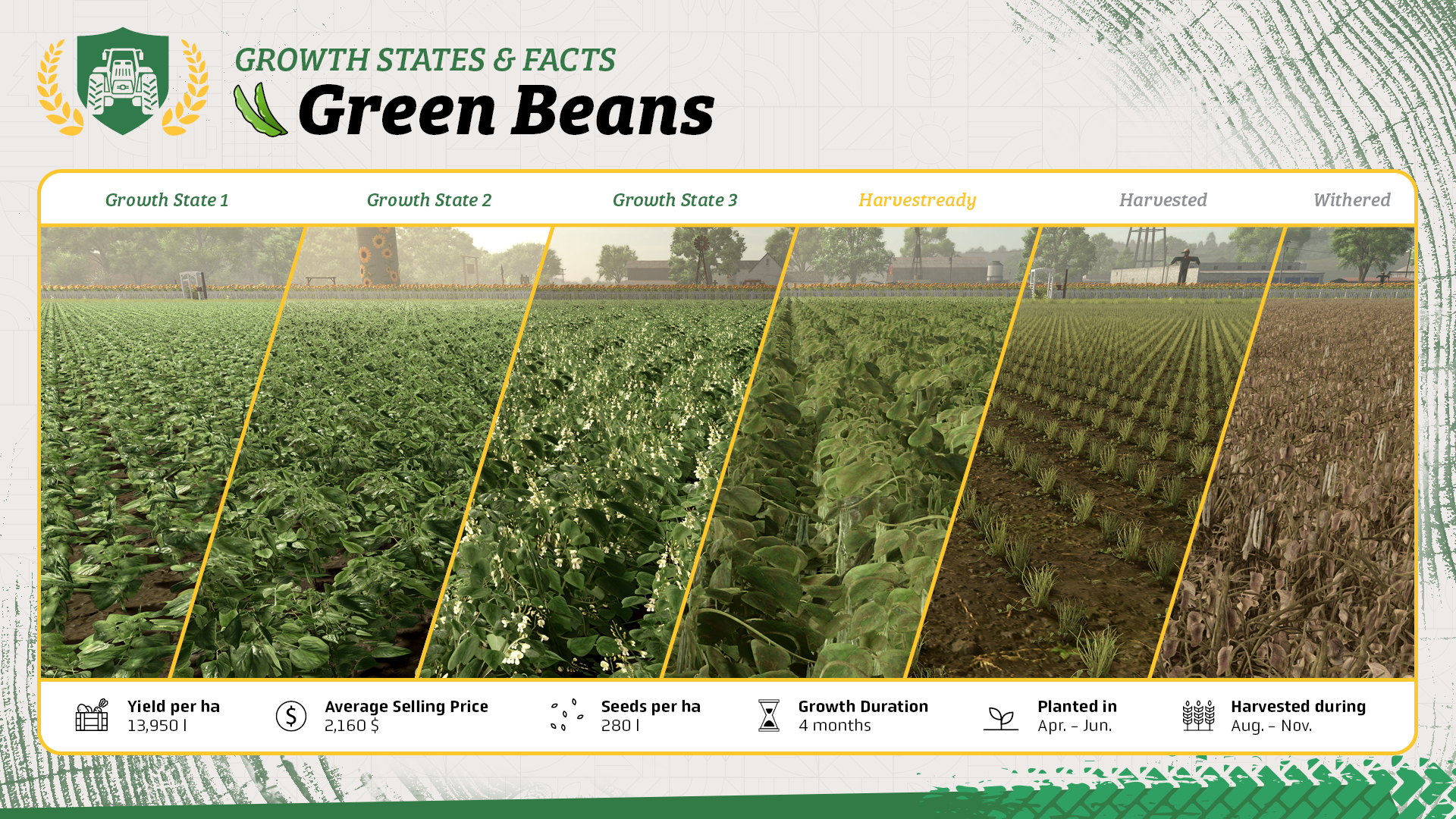
- Green beans take four months to grow.
- They are planted with a planter and require a specialized green bean harvester. Since the harvester is expensive, you can also lease one for harvesting season.
- You can sell green beans directly or process them into jarred green beans at the preserved food factory.
What You Need For Green Beans
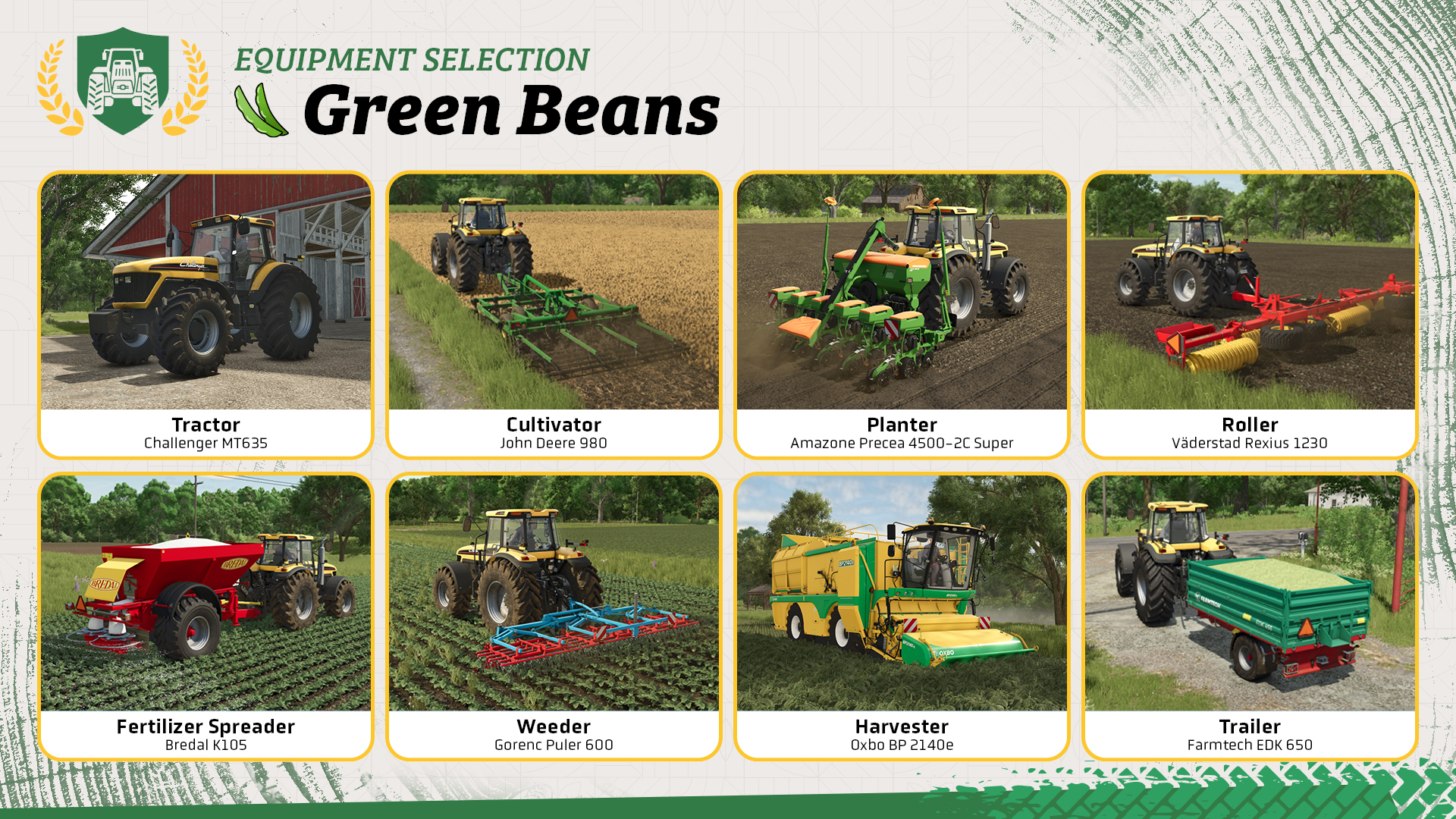
Let’s take a look at the equipment you need to grow green beans. Some additional machines help you improve your yield but are not strictly required.
- Tractor: Used to operate most of the following tools.
- Cultivator: Prepares the soil before planting. If the field needs plowing, use a plow instead.
- Planter: Plants green beans and needs to be filled with seeds.
- Fertilizer spreader: Recommended to increase your yield. Some spreaders can also apply lime.
- Roller: Use it after planting for a small yield bonus.
- Hoe: Removes weeds growing between the rows of green beans.
- Green bean harvester: A specialized machine such as the Oxbo BP2140e is required to harvest green beans.
- Trailer: Transports the harvested green beans to a selling point or production facility.
Let’s Get To Work!
If seasonal growth is enabled, plant green beans between April and June. Depending on when you plant them, they will be ready for harvest between August and November.
Step 1: Applying lime
Your field only needs lime from time to time. Check the field information box to see if that’s the case. If you bought the Bredal K105 as your fertilizer spreader, you can use the same machine for lime. Fill it with lime and cover the entire field.
Step 2: Cultivating the field
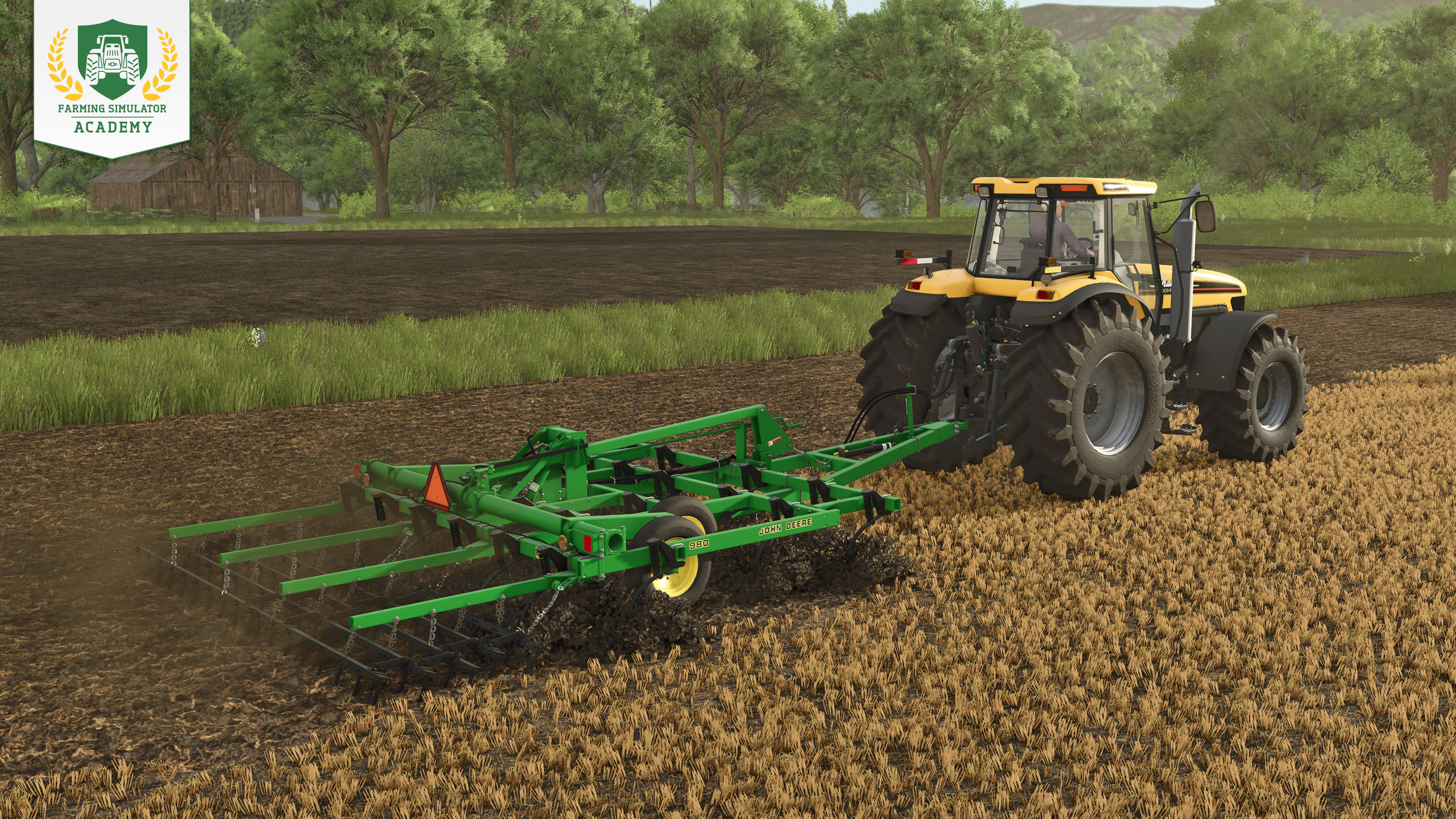
Check the field information before preparing the soil. If it tells you that the field needs plowing, use a plow. Otherwise, a cultivator is enough. Lower the machine and work the entire field one row after another.
See how plowing and cultivating work in detail.
Step 3: Planting green beans
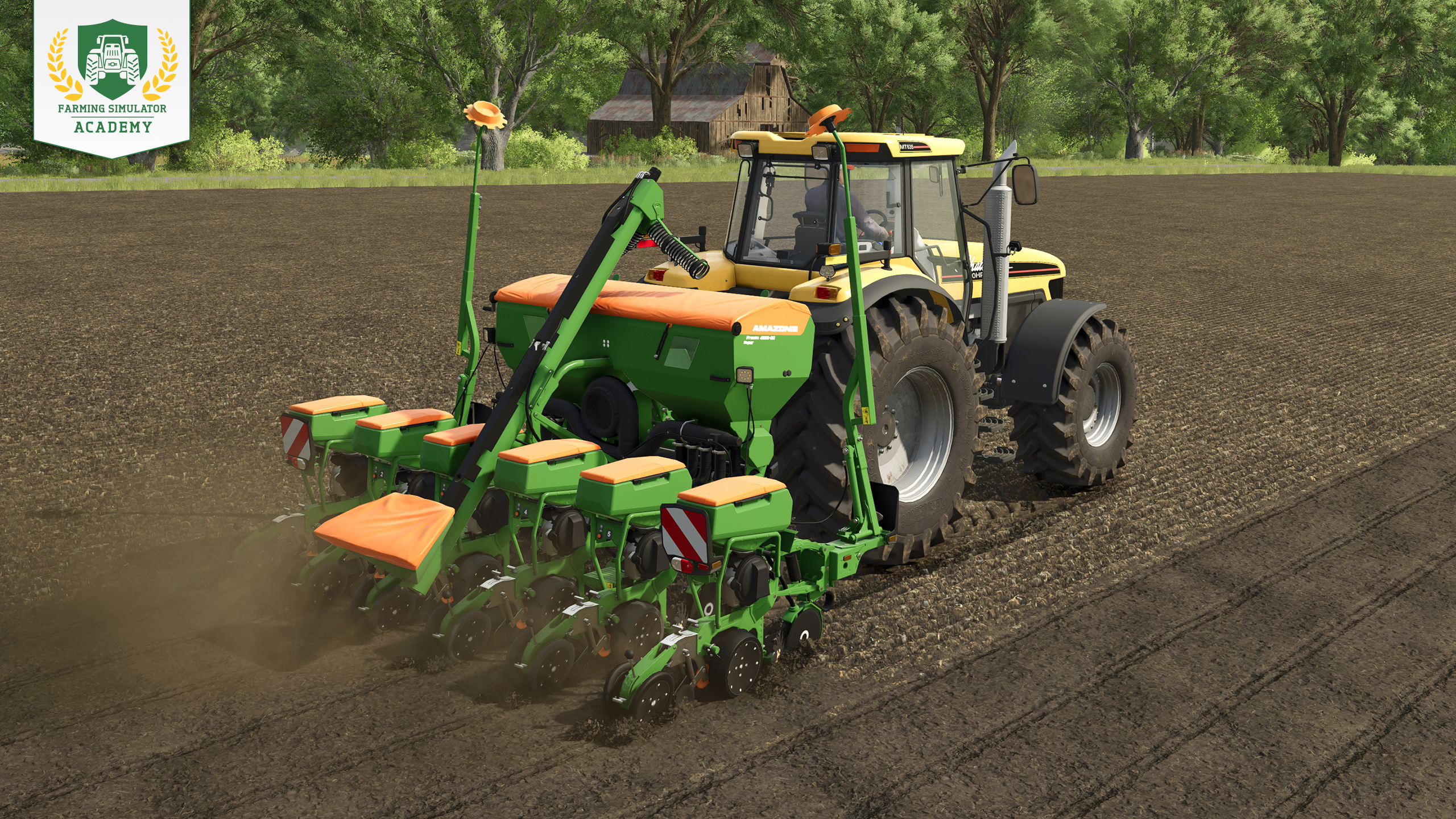
Fill your planter with seeds and select green beans as the crop. Head to the field, lower and activate the planter, and cover the entire area one row after another.
Our planting tutorial explains everything you need to know.
Step 4: Fertilizing
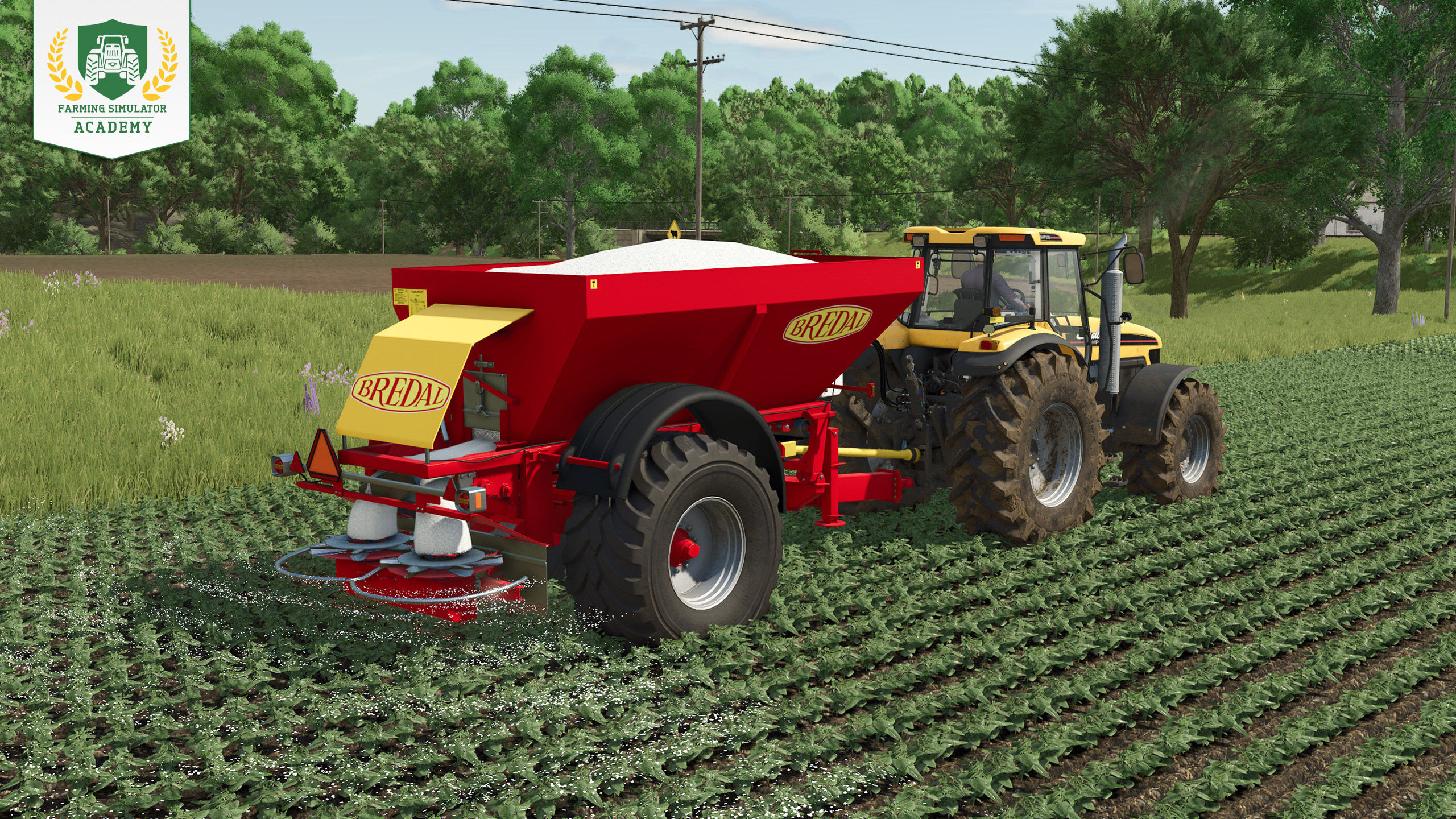
If you used the same spreader for lime, unload any leftovers at your farm first and refill the machine with fertilizer. Head back to the field, activate the spreader, and fertilize the entire area.
You can fertilize your green beans a second time after they have started to grow. There has to be a growth stage between both applications to reach the full fertilization level.
Tip! With a manure or slurry spreader, you can activate the double application rate to reach full fertilization with one application.
Everything about fertilizer and its different types is covered here.
Step 5: Rolling
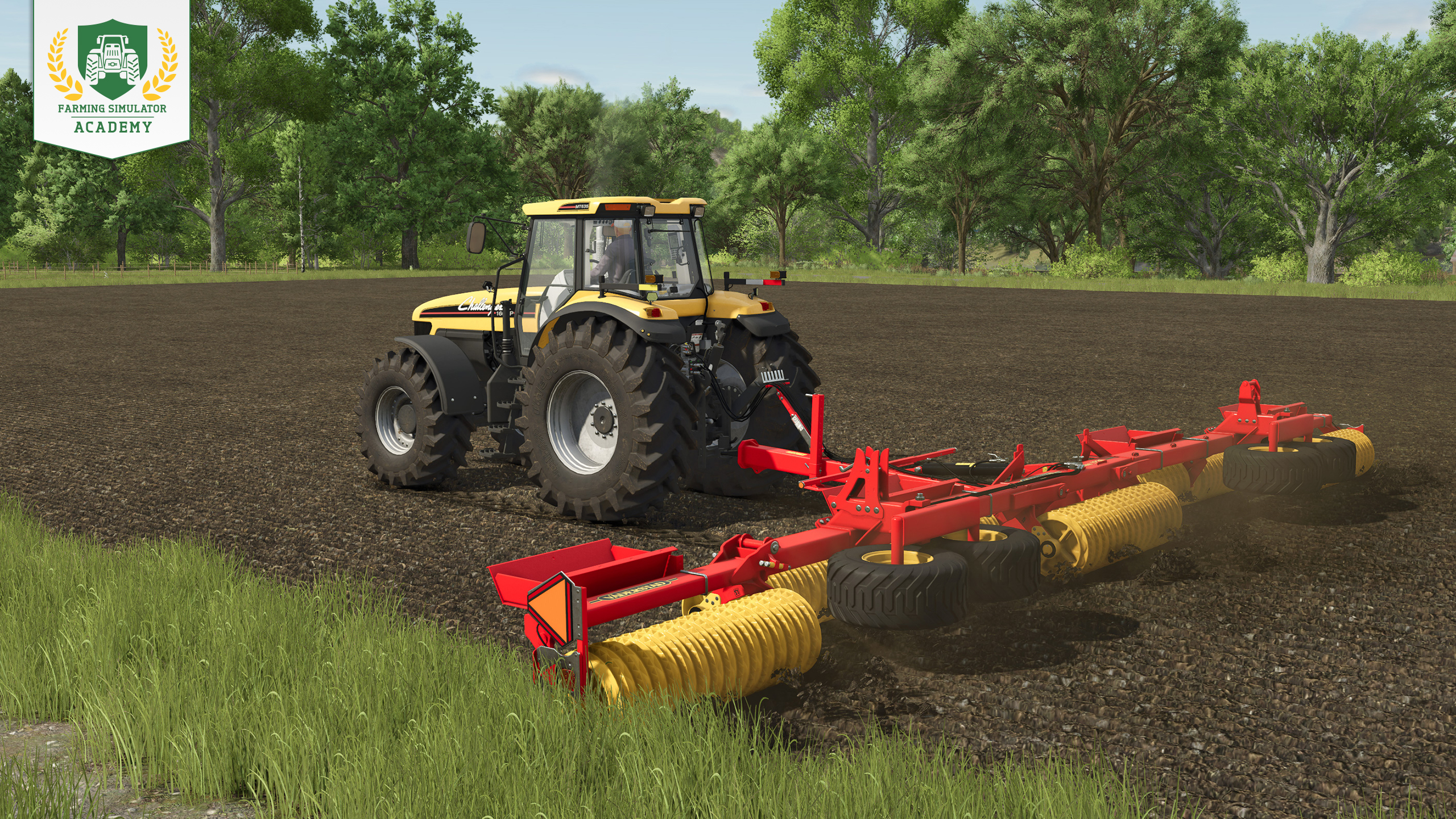
After planting, you can roll the field for an additional 2.5% yield bonus. Lower the roller and cover the freshly planted field once.
Take a closer look at how soil rolling improves your fields.
Step 6: Getting rid of weeds
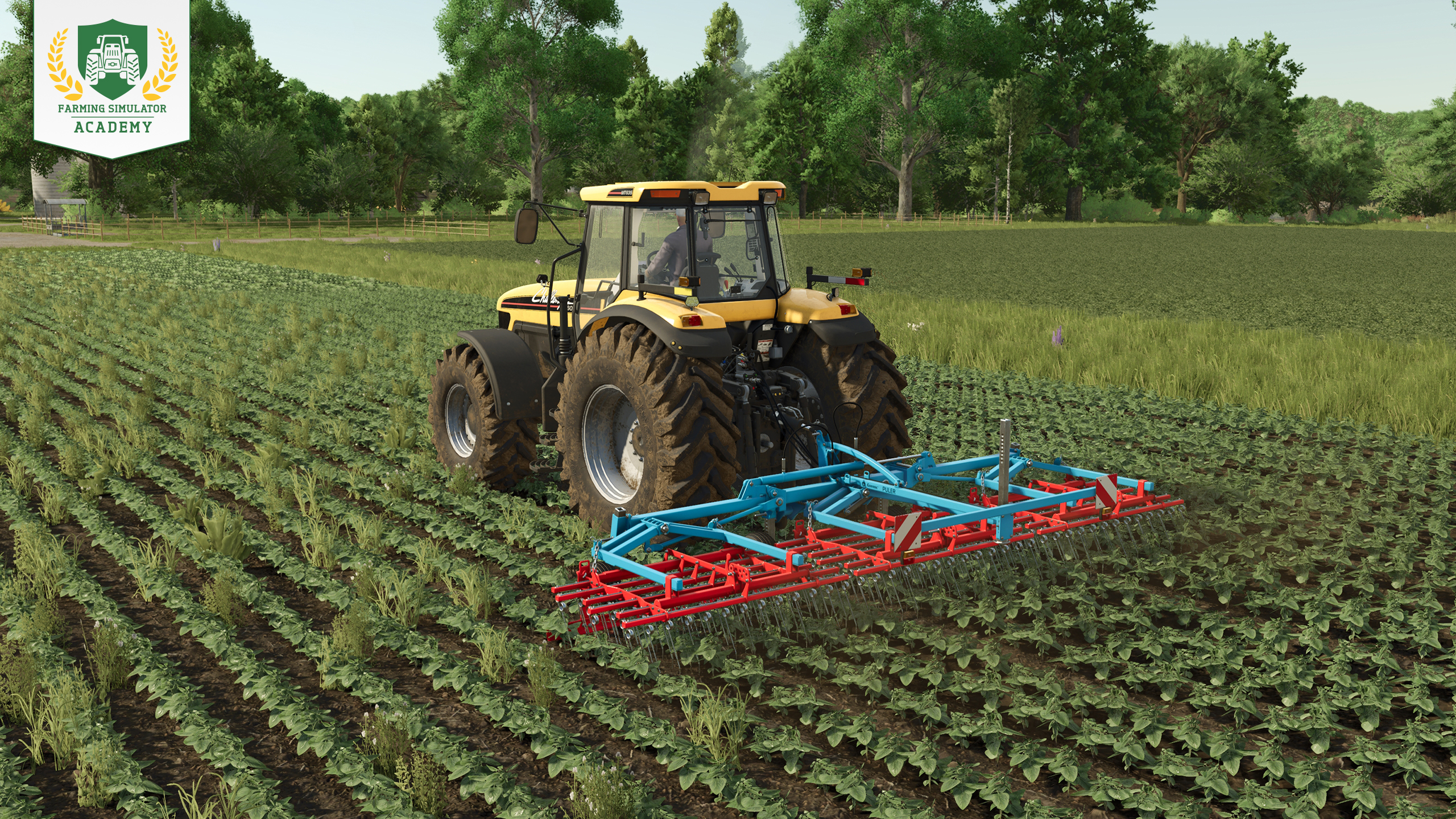
Remove weeds with a weeder as soon as they appear to prevent a yield penalty. If the weeds grow too large, you can still use a hoe or a sprayer with herbicide. If crop destruction is enabled, use narrow tires when driving through the growing plants.
Find the right tool for every stage of weed growth.
Step 7: Harvesting green beans
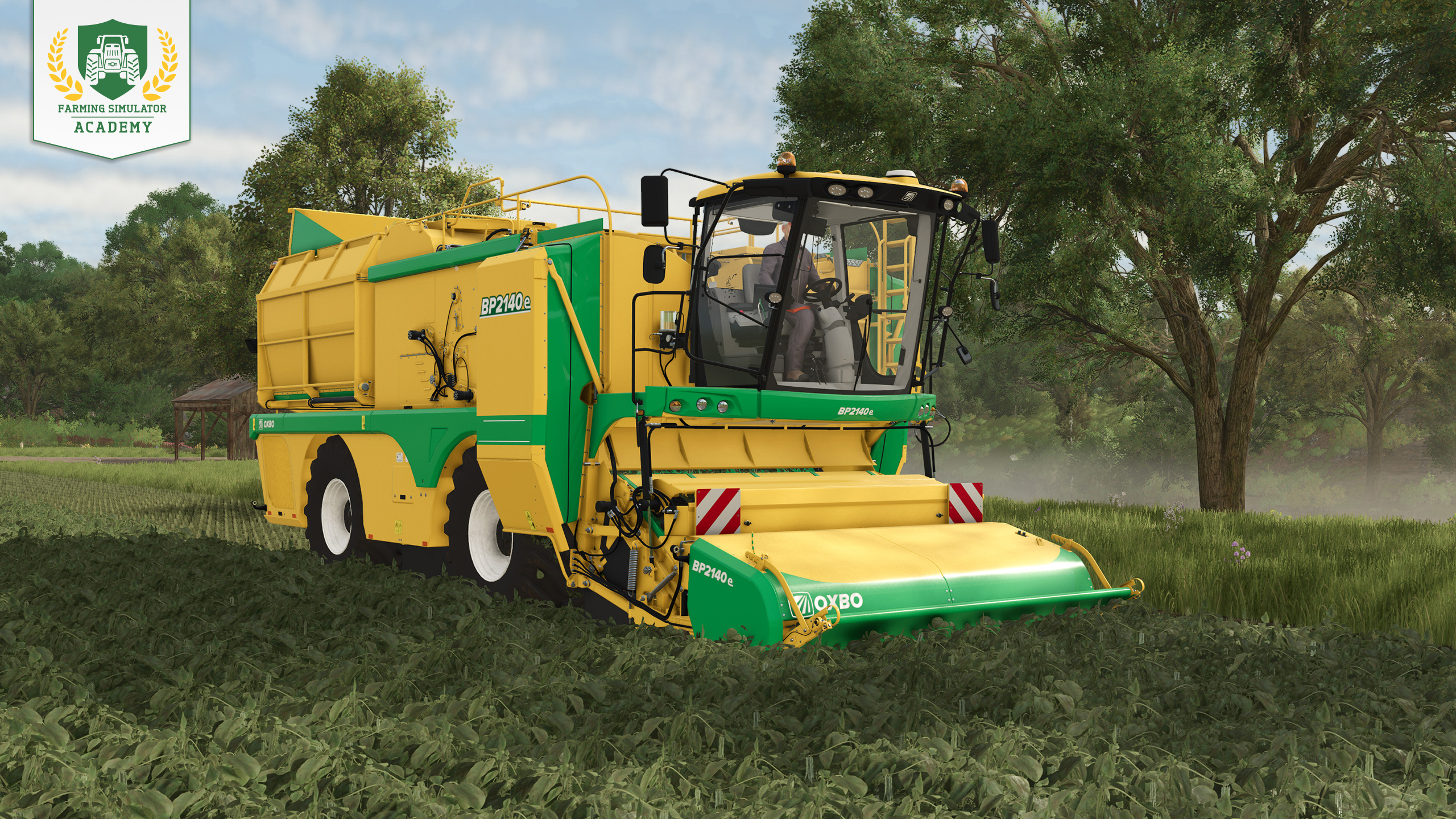
As soon as the green beans are fully grown, you shouldn’t waste too much time, so they don’t start to wither. Take your specialized harvester to the field, lower the header, activate the machine, and start harvesting one row after another.
Keep an eye on the harvester’s fill level while you work. Once it is full, bring your trailer alongside the machine, raise the bunker, and start overloading the harvested green beans into the trailer.
Step 8: Selling green beans
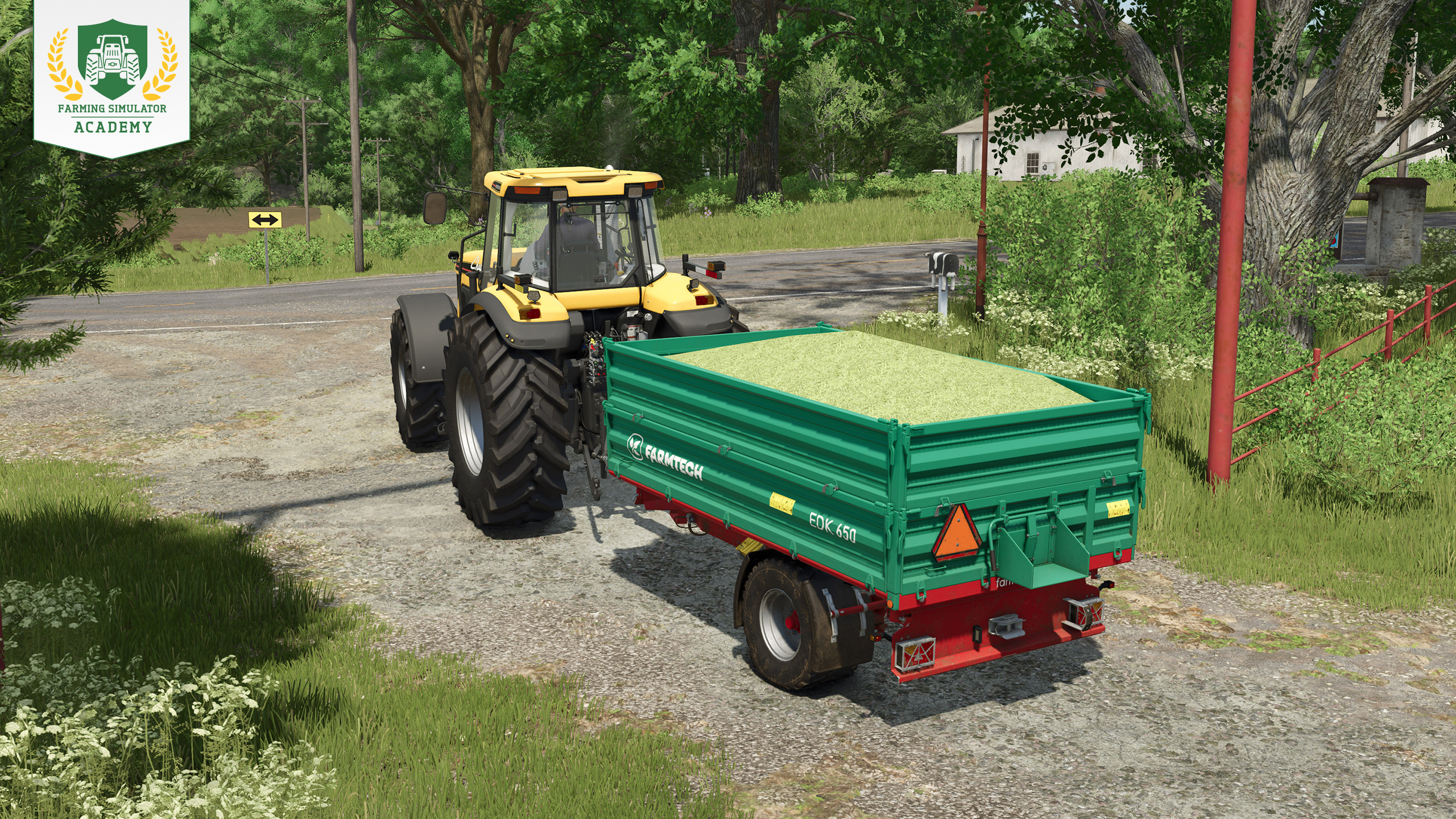
You can sell your harvested green beans directly. Check the prices screen to find a selling point offering a good price, drive there with your trailer, and unload in the designated area.
Processing Green Beans: Products
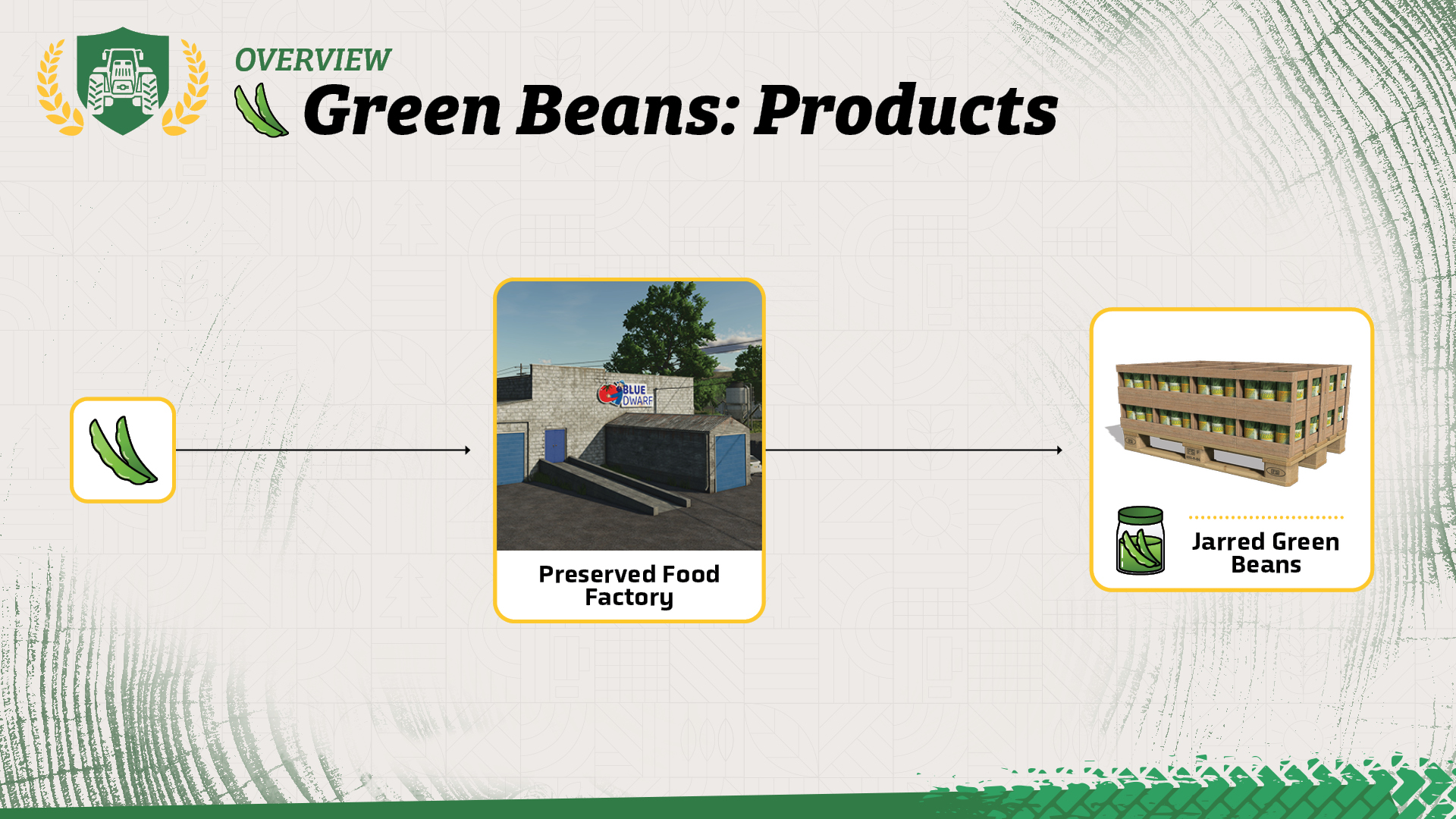
Instead of selling your green beans directly, you can deliver them to the preserved food factory. There, they can be processed into jarred green beans, which you can then sell as a finished product.
Well Done!
Congratulations! You now know how to plant and harvest green beans in Farming Simulator. When you're ready, continue with the next Farming Simulator Academy lesson!


Today we released Hotfix 1.25.1 - you can find all the details in our changelog on the Farming Simulator website under "Updates" or go to https://t.co/tgMi706gkj https://t.co/9Cyba4iLzT

📢 Quick reminder! FS25 Modding Contest submissions open soon! + NEW free e-book! 📖 Modding with Blender is now available on our GIANTS Developer Network. 👇 Download now & create your own mods! 🧑🌾 🔗 https://t.co/u9JvPGg4QG https://t.co/cLHTviQFeT

Next stop: TwitchCon San Diego! 🤩 Join us at the San Diego Convention Center from November 13 to 15. Meet the GIANTS Software team & fellow Farming Simulator fans! 🧑🌾 Who’s coming? 🙌 🔗 https://t.co/JfO8aGbs5D https://t.co/Q22KAhMfma

Master Beans & Alpacas! 🦙 Three new FS Academy tutorials are now available! Learn how to grow coffee and bananas and care for your alpacas with helpful info charts and step-by-step guides. 🚜 Ready to put your knowledge to work? 🧑🌾 🔗 https://t.co/xGB4iRjcxk https://t.co/6IyijglYeA

Social Media


Today we released Hotfix 1.25.1 - you can find all the details in our changelog on the Farming Simulator website under "Updates" or go to https://t.co/tgMi706gkj https://t.co/9Cyba4iLzT


