-

-
 Argentina (en)
-
Australia (en)
-
 Belgien (de)
-
Belgique (fr)
-
België (en)
-
 Brasil (en)
-
 Canada (en)
-
Canada (fr)
-
 Česko (en)
-
 Chile (en)
-
 Danmark (en)
-
 Deutschland (de)
-
 España (en)
-
 France (fr)
-
 Hrvatska (en)
-
 Ireland (en)
-
 Italia (en)
-
 Magyarország (en)
-
 Nederland (en)
-
 Norge (en)
-
 Österreich (de)
-
 Polska (pl)
-
 Portugal (en)
-
 România (en)
-
 Schweiz (de)
-
 Slovenija (en)
-
 Slovensko (en)
-
 South Africa (en)
-
 Srbija (en)
-
Suisse (fr)
-
 Suomi (en)
-
 Sverige (en)
-
Svizzera (en)
-
 United Kingdom (en)
-
 United States (en)
-
 Россия (en)
-
 Україна (en)
-
 日本 (en)
-

[Ground Working 101] Everything About Seeding & Planting
![[Ground Working 101] Everything About Seeding & Planting](/cms/uploads/news_6a9ad12fde38e.jpg)
Welcome to the Farming Simulator Academy! Today, we show you what you need to know about seeding and planting crops on your fields. Let’s take a look.
Machines For Sowing & Planting
There are various machines dedicated to seeding. You find them in the "Seeders" and "Planters" category of the dealership.
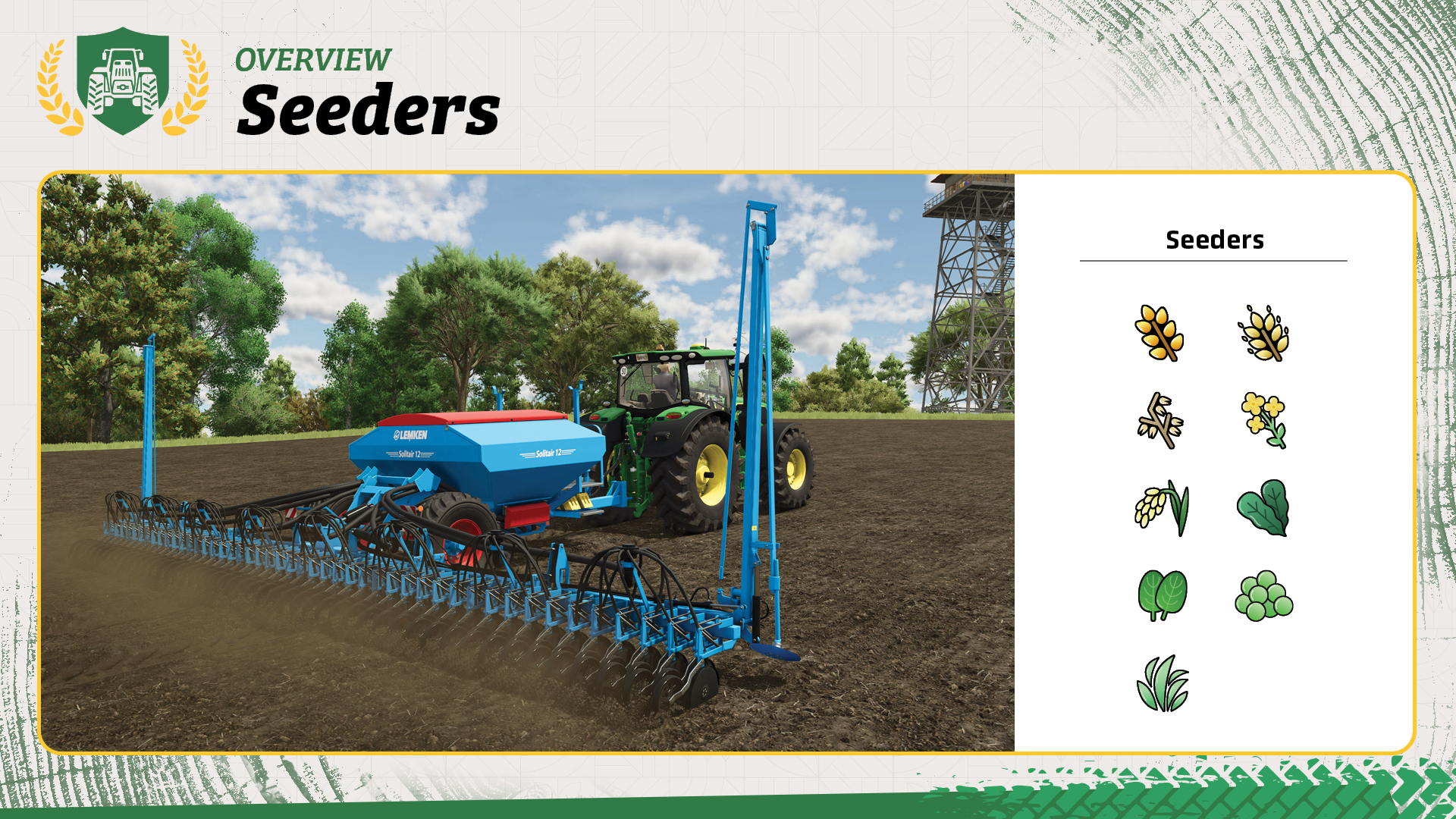
- Seeders are used for wheat, barley, oat, canola, long grain rice, spinach, peas, oil seed radish and grass.
Tip! Some (more expensive) seeders offer the possibility to seed directly - you don't have to plow or cultivate, first – saving you time and fuel.
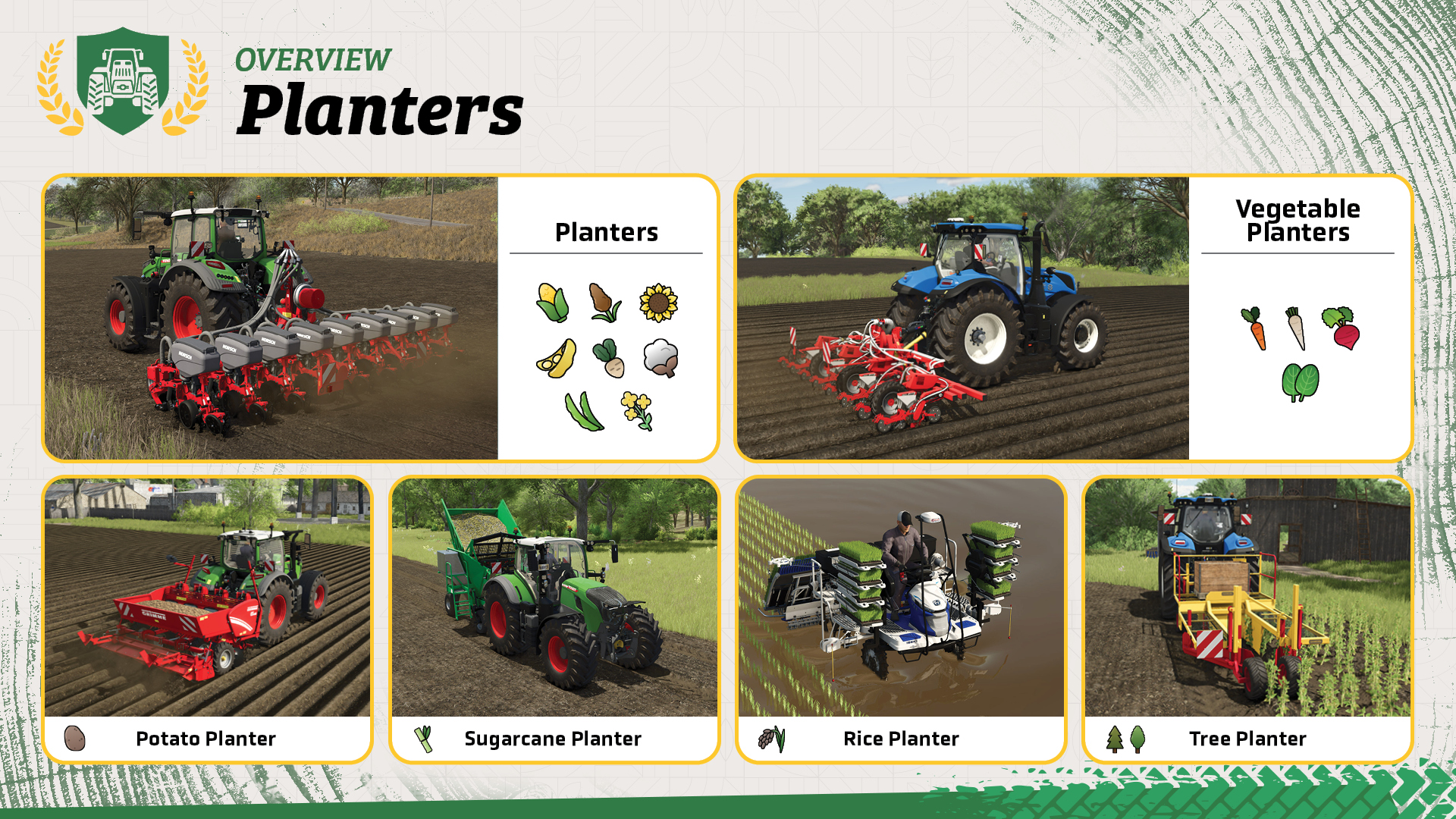
- Regular Planters are used for corn, sorghum, sunflowers, soybeans, sugar beet, cotton, green beans and canola. There are vegetable planters that work for carrots, parsnips, red beet and spinach and also special planters for potatoes, sugar cane, rice, trees and poplar.
Tip! You can extend the capacity of some seeders with an additional tank found in the "seeders" category of the dealership.
Tip! In the "Packs" section of the dealership, you find what you need for the respective crops without having to browse through various categories.
How To Sow & Plant Your Crops
Let's take a quick look at the most important steps when sowing or planting your crops. Before you sow or plant a crop, you need to prepare the field. That means: cultivating or, plowing if necessary.
Step 1: Buy seeds and fill the seeder or planter
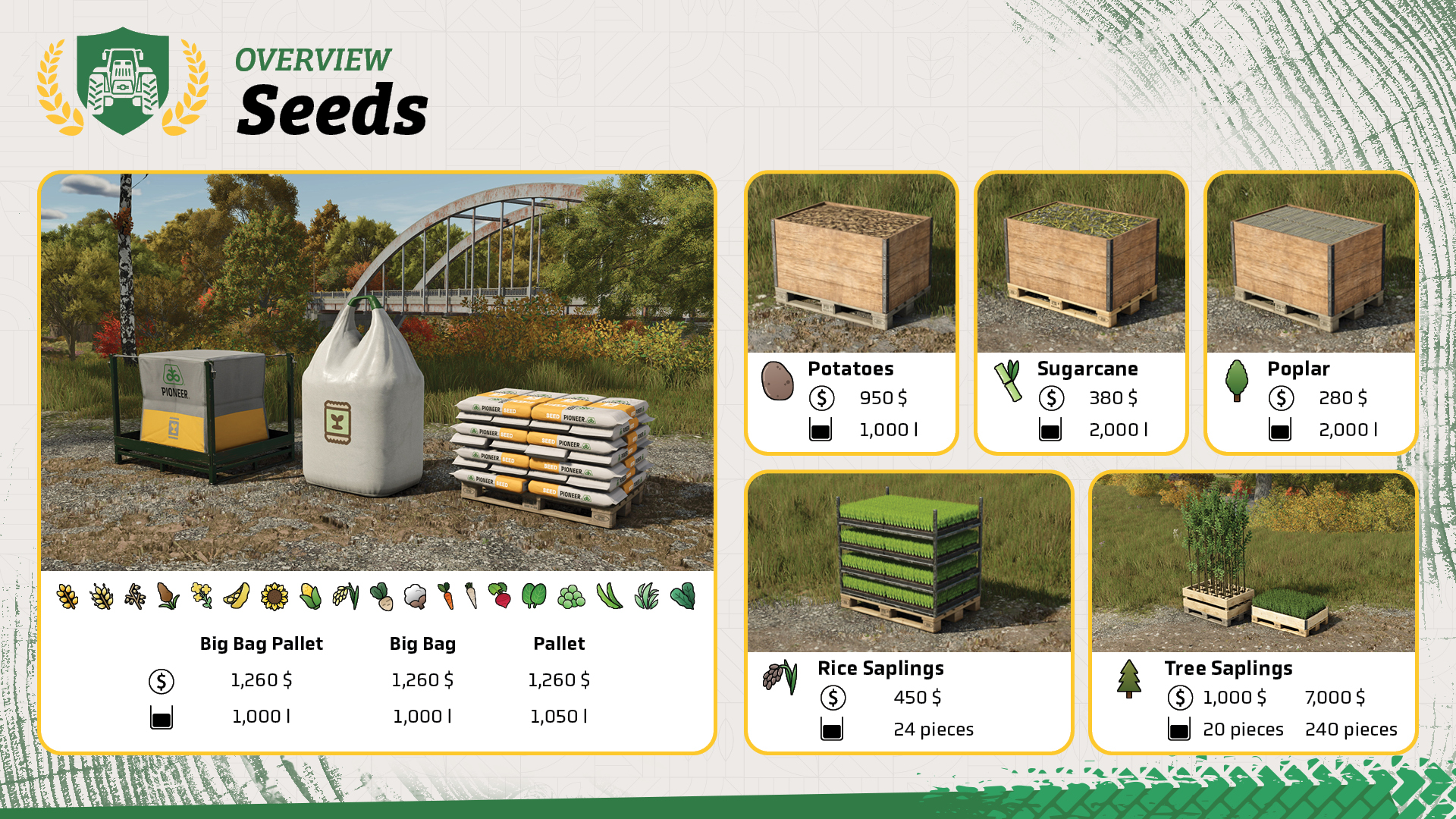
You need to buy a bigbag of seeds at the dealership and fill your seeder with it. You just have to position your sowing machine right beside the seeds and press the "refill" button – the seeds will automatically load into the seeder.
In a bigbag pallet of seeds you find seeds for all the crops – except for potatoes, poplar, sugarcane, rice and tree saplings – those are found in "pallets" to use with a planter. You fill your planters the same way you do with the seeders.
Step 2: Sow the crop on your field
When your filled seeder is attached to the tractor, you have to select the desired crop, first. In the top left corner, the selected crop is displayed in the control box on the top-left, as well as in the bottom right corner left to the speedometer. On the field, lower the seeder and turn it on. Now, sow in straight lines until the whole field is covered.
Tip! If you're playing with seasonal growth enabled, mind the crop calendar! Each crop has an individual planting and harvesting season! You can't sow or plant a crop if it's not the respective planting season.
Well Done!
Congratulations, you now know the most important facts about seeding and planting. Take your time and start on the next lesson, when you’re ready. Stay with the Farming Simulator Academy and you become a top-notch virtual farmer in no time!


Pumps N' Hoses by @CreativeMesh is available NOW & FREE for Farming Simulator 25! Enjoy new content, 40+ items, manure separation, biogas & more. Also available: Patch 1.23 with bug fixes, improvements & some new additions for modding. 🛠️ https://t.co/G86wgFzbnb

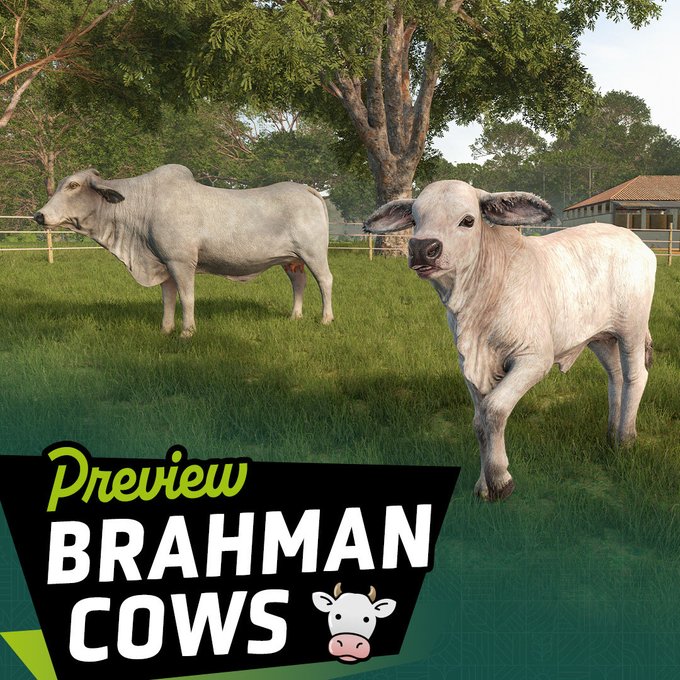
Beans, Alpacas… and Brahman cattle! 🐄🌱 Meet another new animal coming with the Farming Simulator 25: Beans & Alpacas Expansion and learn what makes Brahmans special. 👉 Check out the full preview: https://t.co/b7DzQD6tSZ https://t.co/s19RzlKD0B
🇺🇸 Beans & Alpacas is coming to PAX West! Play the expansion for the first time in the US and meet Farmer Cop at our booth throughout the show! 🦙🌱 https://t.co/4o87swmX6o

🚜 Farming Simulator is at the Farm Progress Show! Visit us at the Fendt Experience Center, jump into the driver’s seat and try out your favorite Fendt in Farming Simulator! 🌾🎮 https://t.co/1oGOQFPpg0

Social Media


Pumps N' Hoses by @CreativeMesh is available NOW & FREE for Farming Simulator 25! Enjoy new content, 40+ items, manure separation, biogas & more. Also available: Patch 1.23 with bug fixes, improvements & some new additions for modding. 🛠️ https://t.co/G86wgFzbnb


